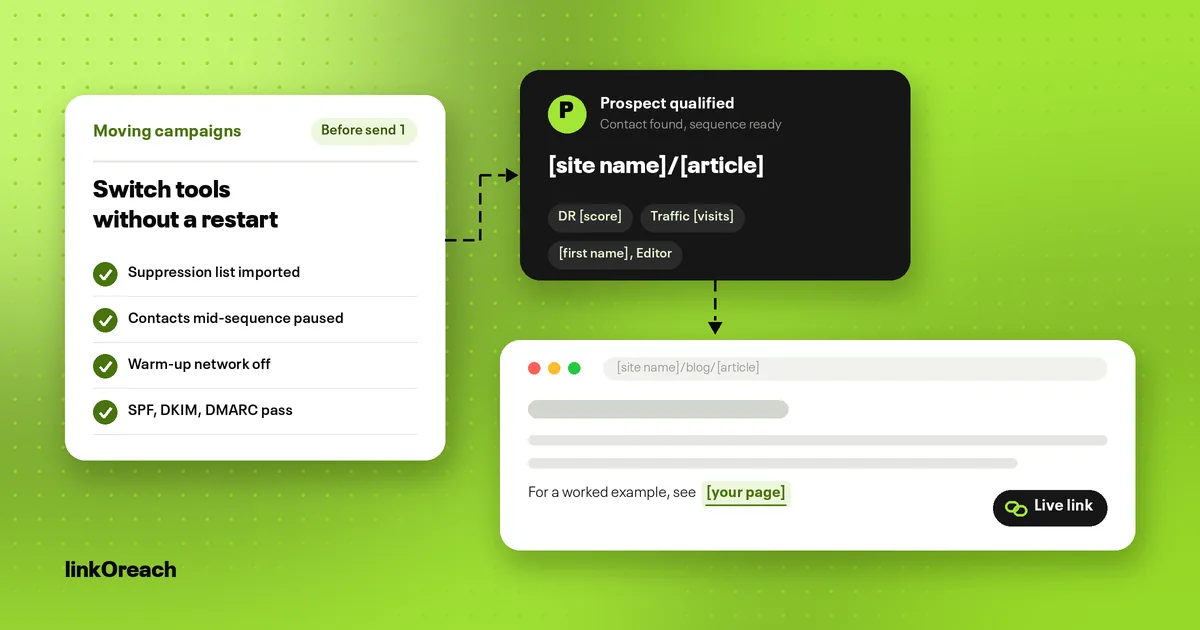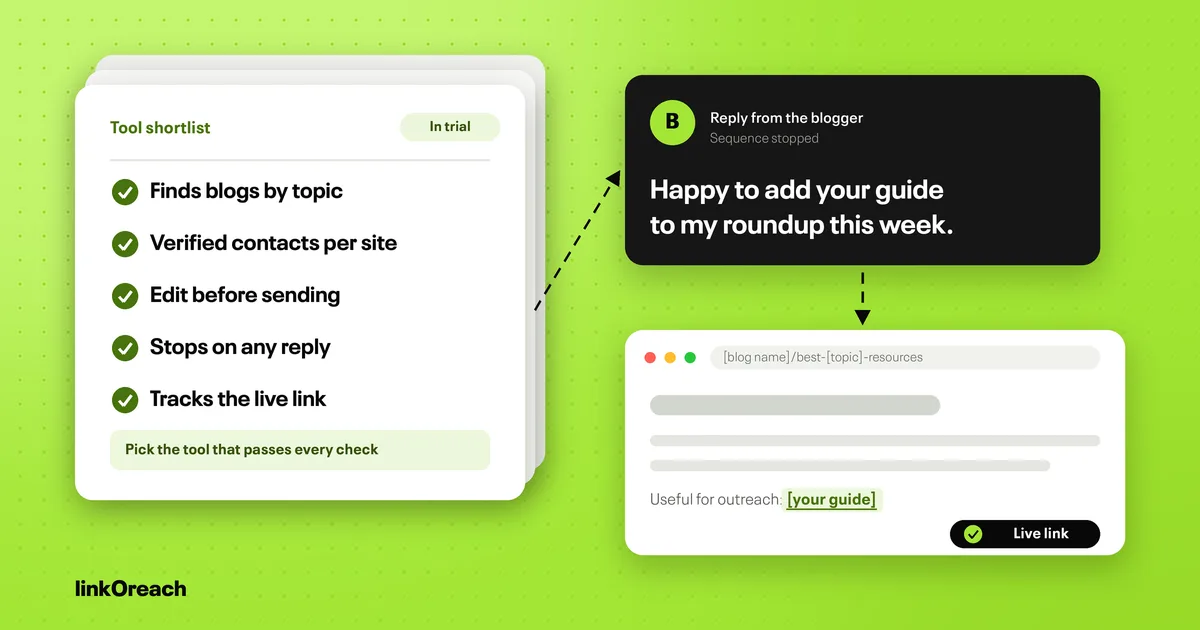
Email Outreach Tools for Link Builders: 8 Compared on Price
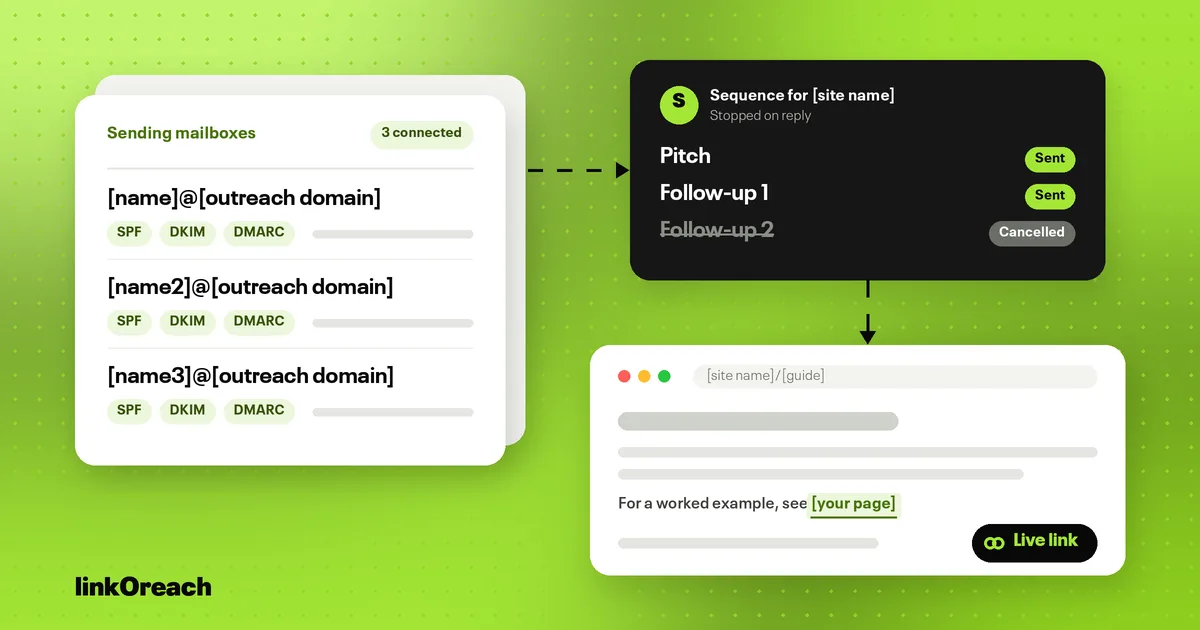
The right email outreach tool for link building depends on one question: do you already have a qualified list of sites and contacts? If you do, a cold email sender costing $35 to $69 a month for 500 prospects handles sending and follow-ups; if you do not, a link building platform at $49 to $300 a month also finds the sites, the contacts and the live links. This guide compares eight email outreach tools on their own pricing pages, shows what each entry plan costs for a real monthly workload, and covers the warm-up and Gmail rules that now decide whether a pitch reaches the inbox.
Most rankings for this keyword are written for sales teams booking meetings. Link building outreach is a different job, with smaller lists, page-level personalization and a deliverable (a live link) that no cold email tool tracks on its own. Everything below is judged against that job.
Two kinds of email outreach tools
Every tool on this list falls into one of two groups, and the group matters more than the brand.
Link building platforms (linkOreach, Pitchbox, BuzzStream) start from SEO data. They pull prospects by Domain Rating and traffic, pick the person who can edit the page, run the sequence and record the link once it is placed. They cost more per seat than senders and send less email, because their users send fewer, more specific pitches.
Cold email senders (Instantly, Smartlead, Saleshandy, Woodpecker, lemlist) assume you arrive with a list. They are built to send a lot of email from many mailboxes without hurting deliverability: unlimited sending accounts, warm-up, a combined inbox and A/B testing. They are cheap per email and do nothing about Domain Rating, traffic or whether the link went live.
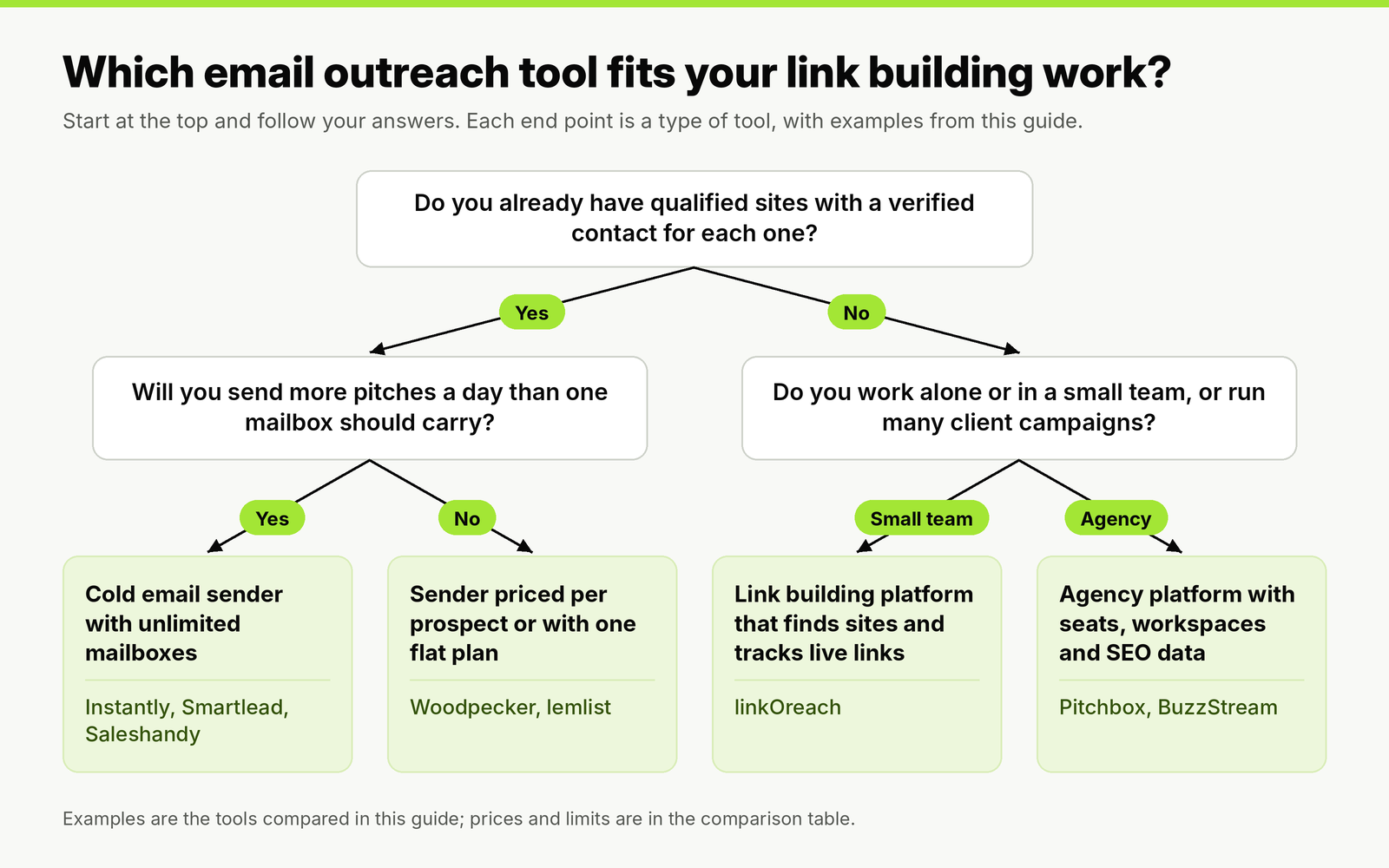
Two answers place you in one of four tool types. The tool examples are the eight compared below.
A sender is the cheaper choice when your SEO tool already produces clean prospect lists and you have someone to find contacts and check links by hand. Once that manual work takes more hours than the price difference covers, a platform is the cheaper choice. Our guide to running link building outreach campaigns covers the prospecting and qualifying steps that sit before any of these tools.
Email outreach tools compared
Every price is the list price on the vendor's own pricing page for the cheapest plan that sends automated follow-ups. "Billed yearly" is the monthly equivalent when you prepay for a year.
| Tool | Type | Entry plan, billed monthly | Billed yearly | What the entry plan includes | Best for |
|---|---|---|---|---|---|
| linkOreach | Link building outreach software with an AI agent | One plan, $49 (introductory price) | Quarterly billing listed with a 34% saving | 500 email credits with verification, 5,000 searches, 100,000 Ahrefs credits, 7-day trial with no card | Solo link builders and small teams |
| Instantly | Cold email sender | Growth, $47 | $37.60 | Unlimited email accounts, 5,000 emails and 1,000 contacts a month, warm-up; full in-app replies start on Hypergrowth at $97 | High-volume senders running many mailboxes |
| Smartlead | Cold email sender | Base, $39 | $32 | Unlimited email accounts, 2,000 active leads, 6,000 emails a month, warm-up | Agencies that later add client workspaces ($29 each on Pro) |
| Saleshandy | Cold email sender | Starter, $41 | $34 | 1 user, unlimited email accounts, 2,000 active prospects, 6,000 emails a month, warm-up, unified inbox, unlimited clients | Freelancers who manage several clients alone |
| Woodpecker | Cold email sender | $7 per 100 contacted prospects a month | Discount on annual billing | Unlimited email accounts and team members, 4 warm-ups, unlimited verification, out-of-office filtering | Low or uneven monthly volume |
| lemlist | Cold email and multichannel | Email, $69 | $55 | Unlimited users and senders, 50,000 emails a month, warm-up; contact data credits from $20 a month | Teams that also run sales outreach |
| BuzzStream | Outreach CRM for link building and PR | Growth, $174 (Starter at $49 has no automated follow-ups) | One free month when you prepay 12 months | 3 users, 25,000 contacts, 250 prospecting searches, Ahrefs integration, link monitoring for 25,000 links | Teams that need a shared history of every contact |
| Pitchbox | Link building outreach platform | Pro, $300 on a one-year commitment | $210 | 2 users, 2 email accounts, 2,000 outreach emails and 25 campaigns a month, Ahrefs, Moz, Semrush and Majestic data, link monitoring for 1,000 links | Agencies running many campaigns at once |
Read the "includes" column before the price column. The senders give you unlimited mailboxes and thousands of emails because sending is their whole product. Pitchbox caps Pro at 2 email accounts and 2,000 emails a month, which is plenty for link building and nowhere near enough for sales prospecting. The two groups are priced for different volumes because their users send different volumes.
What link builders need that sales roundups skip
The pages that rank for "email outreach tools" score tools on lead databases, LinkedIn steps and meeting booking. For a link builder, five other features decide whether a tool works.
- Stop on any reply, including out-of-office. An editor who says yes on Monday should never get your second follow-up on Thursday. Test this in the trial with a reply from your own second address.
- A cap on contacts per site. Two people per site is a sensible ceiling (the reply data below shows why), so you want to see, per domain, who is already in a sequence.
- Page-level custom fields. The fields that matter are the article title and the section where your link fits, not the prospect's company size.
- SEO data next to each prospect. DR and traffic on every row lets you drop a site before it costs you a send. Senders leave this to your SEO tool and a spreadsheet.
- A record of the live link. The sequence ends at a reply; the job ends when the link is live, on the right URL, with the agreed attributes. Only the link building platforms track that.
There is also a reason to distrust sales benchmarks in sales-focused roundups. In Hunter's State of Email Outreach 2026, built on 31 million emails sent by its users in 2025, digital PR sequences averaged a 13% reply rate against 3% for sales. Pitches that offer an editor something useful get answered at several times the rate of pitches that ask for a meeting, so a tool tuned to push volume for a 3% reply rate is solving a problem link builders mostly do not have.
The settings that matter more than the tool
Every tool on this list can send a good pitch or a bad one. The same report shows which settings move reply rates, and each one is a switch or a habit inside the tool you pick. Emails sent from a custom domain got 5.2% replies against 2.5% from a free mailbox. Two custom fields in the email lifted the rate from 3.6% to 5.6%. Hand-edited emails beat fully automated ones, 5.2% to 4.4%. Turning open tracking off had the biggest effect of all: 7.4% with it off, 4.4% with it on. Reaching one or two people per company returned 5.1%, against 3.5% for three or more.
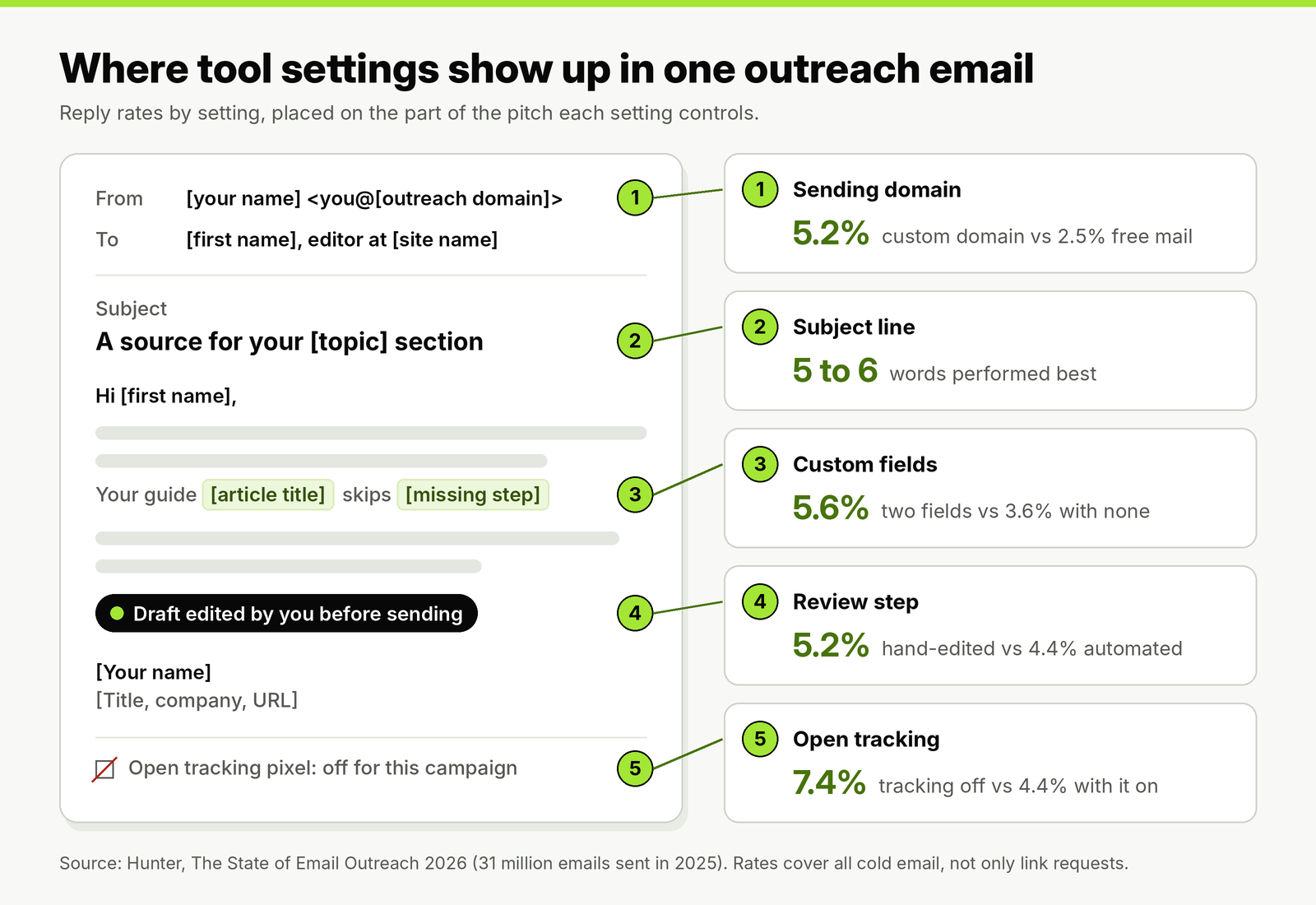
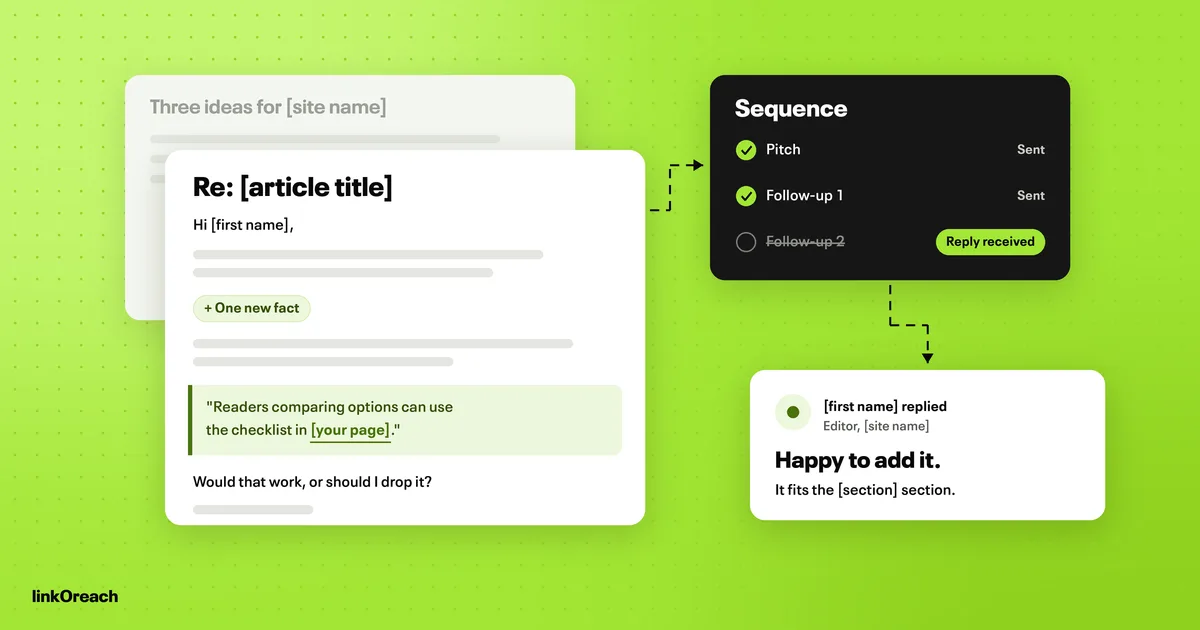
Where each setting sits in a single pitch. The reply rates cover all cold email rather than link requests alone.
The mailbox provider matters too. Sequences sent from Google Workspace averaged 5.9% replies, against just over 4% from Microsoft 365. Every tool here connects to both, so this is a choice about your mailboxes, not your tool. And one finding cuts against AI-first tools: 69% of US decision makers in the survey said it bothers them if AI wrote the email. Whatever drafts the pitch, keep a review step where a person edits it before it sends. Our guide to where to put review gates in automated outreach shows which stages to hand over and which to keep.
Warm-up: the feature to check before you rely on it
Instantly, Smartlead, Saleshandy, Woodpecker and lemlist all list email warm-up on their pricing pages. Warm-up used to be a harmless default. In September 2026 that changed.
On September 3, 2026, Validity launched Heatwave, a blocklist aimed at synthetic domain warming: services that connect to your mailbox and generate fake messages, opens and replies across networks of accounts to manufacture a sending reputation. Validity says the list already covers more than 1 million domains, mirrors the signal into its existing DNS reputation zones, and names Comcast, Proofpoint, Spamhaus and SURBL among the organizations using or evaluating it. The release does not publish detection criteria, so nobody outside Validity can say which warm-up products trigger a listing.
For link builders the practical response is simple. Ask any vendor how its warm-up generates engagement before you switch it on. Look up your outreach domains at Validity's public lookup tool, which also shows related domains. And lean on the warm-up that no blocklist targets: a new mailbox that starts with a handful of real pitches a day and rises slowly toward 20 to 49, the daily range that beat the 4.5% average in the same reply data, at 5.7%. Link building volume is low enough that you rarely need a warm-up network at all.
The Gmail rules every tool has to let you meet
Google's email sender guidelines FAQ sets the floor for anything you send to personal Gmail addresses, and no outreach tool can meet it for you. Every sender needs SPF or DKIM, a DMARC record with at least p=none, a From domain aligned with SPF or DKIM, and valid forward and reverse DNS. Google asks senders to keep the user-reported spam rate below 0.1% and never to reach 0.3%. Bulk senders, defined as close to 5,000 or more messages to personal Gmail accounts in 24 hours from one primary domain, also need both SPF and DKIM and one-click unsubscribe on marketing messages, and once a domain crosses that line it is treated as a bulk sender permanently.
Few link building teams reach 5,000 Gmail messages a day, but the counting is per primary domain, not per mailbox. Ten mailboxes on one domain at 50 emails a day is 500 messages a day from that domain; a hundred mailboxes at the same pace is 5,000, and the share of those going to Gmail is what counts. Keep outreach on its own domain, separate from the domain your company and clients use for everything else. Our deliverability setup for a new outreach domain covers the DNS records, the ramp-up and the checks to run before the first pitch.
The tools, one by one
linkOreach
We built linkOreach for the right side of the decision tree: link builders who do not want to assemble prospects, contacts, sequences and link records from four tools. Linkzy, the AI agent inside it, builds a prospect list from keywords, a DR range, a traffic floor and a location using Ahrefs data, picks a contact at each site starting with the SEO lead, checks each address before anything sends, writes a pitch for each site that you can edit first, runs follow-ups on a schedule and stops when someone replies, and tracks the thread through to a live, indexed backlink. You can also run every step yourself. Our page on how Linkzy handles each outreach step covers the shared inbox, A/B testing of two pitches, backlink gap analysis across up to five competitors and sending from your own Gmail, Outlook or SMTP mailbox.
We currently offer one plan at $49 a month, an introductory price, with 500 email credits, 5,000 searches and 100,000 Ahrefs credits, and top-ups if you run out (500 extra email credits are $19). The current plan, credits and trial terms are on our pricing page, and the 7-day trial needs no card.
Pick something else if you run sales cold email, need tens of thousands of sends a month across dozens of mailboxes, or want a contact database for work outside link building. A cold email sender fits those jobs better.
Instantly
Instantly is built for volume. Growth, at $47 a month, includes unlimited email accounts, automated warm-up, 5,000 emails and 1,000 contacts a month; Hypergrowth, at $97, raises that to 125,000 emails and 25,000 contacts and adds full in-app replies and A/B testing with up to 26 variants. The 14-day trial needs no card but stops at 250 contacts and 1,000 emails. Lead data and AI features are a separate credit subscription from $9 a month.
Pick something else if you want to reply to editors from inside the tool on the entry plan: Growth shows a preview of the inbox only.
Smartlead
Smartlead's Base plan costs $39 a month, or $32 billed yearly, for unlimited email accounts, 2,000 active leads and 6,000 emails a month. Pro, at $94, moves to 30,000 leads and 90,000 emails and lets you add client workspaces at $29 a month each, which suits agencies that keep each client's sending separate. Its free trial needs no card.
Pick something else if you want SEO data or link tracking inside the tool; Smartlead is a sending engine and leaves both to you.
Saleshandy
Saleshandy Starter is $41 a month, or $34 billed yearly, for one user with unlimited email accounts, 2,000 active prospects, 6,000 emails a month, unlimited warm-up, a unified inbox and unlimited clients. Pro, at $99 a month, covers 10 users and 100,000 emails. Prospect storage is unlimited on every plan; the limit applies only to contacts in live sequences. The trial runs 7 days.
Pick something else if two or more people need to work the same inbox on the entry plan, since Starter is a single seat.
Woodpecker
Woodpecker prices by contacted prospects, at $7 per 100 a month, with unlimited email accounts, unlimited team members, unlimited verification and 4 warm-ups included. Extra warm-ups are $5 per mailbox, and an agency panel is $27 per active client. The trial lasts 14 days or 100 cold emails, whichever comes first, with no card. Because you pay for people contacted rather than for a tier, it is the cheapest sender here for a link builder who contacts a few hundred prospects in a good month and fewer in a slow one.
Pick something else if your volume is high and steady, where a flat plan with a large allowance works out cheaper.
lemlist
lemlist's Email plan is $69 a month, or $55 billed yearly, with unlimited users and senders, 50,000 emails a month and warm-up. Contact data credits are an add-on from $20 a month, and the Multichannel plan at $109 adds steps beyond email. The 14-day trial needs no card.
Pick something else if link building is your only use case; much of what lemlist adds is aimed at sales teams. Our guide to switching from lemlist for link building compares seven options and includes a migration checklist.
BuzzStream and Pitchbox
BuzzStream is a relationship database first: every contact, email and placement stays on a record the whole team can see. Automated follow-ups start on Growth at $174 a month for three users, with $58 for each extra user and no minimum term. Pitchbox is the agency option, with data from four SEO providers and link monitoring; Pro is $300 a month on a one-year commitment, or $210 billed annually, and trials are arranged through a demo. Our blogger outreach tools comparison covers both in more depth, along with the trial checklist we use.
Pick something else if you work alone: both price for teams. Once links are placed for several clients, order tracking, client portals and invoicing are a separate stage that BuildLinks is built for.
Worked example: what each tool costs for 500 prospects a month
List prices only mean something against a workload. Take a freelancer who contacts 500 qualified prospects a month with a pitch and two follow-ups, which is up to 1,500 emails if nobody replies early, sent from two mailboxes on an outreach domain.
| Tool and plan | Monthly price for this workload | Fits 500 prospects and 1,500 emails? | Still to cover elsewhere |
|---|---|---|---|
| linkOreach | $49 | Yes, if each prospect needs one email credit (500 included) | Your mailboxes |
| Woodpecker | $35 (5 × $7 per 100 prospects) | Yes | Prospect list, SEO metrics, contact finding, link tracking |
| Smartlead Base | $39 | Yes (2,000 leads, 6,000 emails) | Prospect list, SEO metrics, contact finding, link tracking |
| Saleshandy Starter | $41 | Yes (2,000 prospects, 6,000 emails) | Prospect list, SEO metrics, contact finding, link tracking |
| Instantly Growth | $47 | Yes (1,000 contacts, 5,000 emails) | Prospect list, SEO metrics, contact finding, link tracking |
| lemlist Email | $69 | Yes (50,000 emails) | Prospect list, SEO metrics, link tracking; contact data is a $20 add-on |
| BuzzStream Growth | $174 | Yes (25,000 contacts) | Your mailboxes; check whether the Ahrefs integration needs your own subscription |
| Pitchbox Pro | $300, one-year commitment | Yes (2,000 emails, 2 accounts) | Your mailboxes; check whether SEO data needs your own subscriptions |
Every option fits this workload, so volume does not decide it. What decides it is the right-hand column. linkOreach costs $49 and leaves you only the mailboxes. The senders cost $35 to $69 but leave four jobs to other tools and your own time, and the other platforms cost $174 to $300. Price the tools you already pay for (your SEO data subscription in particular) and an hour of your time, then compare totals rather than plan prices. Every option also needs the mailboxes themselves, which you pay for with your email provider.
A setup checklist before the first send
Whichever tool you choose, run through this before a single pitch goes out.
- A separate outreach domain, with SPF, DKIM and a DMARC record of at least p=none, and the From domain aligned.
- Two or more mailboxes on that domain, each starting at a handful of sends a day and rising toward 20 to 49.
- Any warm-up feature checked with the vendor before it is switched on, and your domains looked up on Validity's tool.
- Open tracking off for the campaign.
- Sequences of a pitch and two follow-ups, set to stop on any reply, out-of-office included.
- No more than two contacts per site in sequence at the same time.
- At least two page-level custom fields filled per prospect, and every draft read before it sends.
- A place to record each live link with its URL and attributes, and a date to recheck it.
Conclusion
Choose an email outreach tool by what you arrive with. If you want prospecting, contacts, sequences and live link records in one place, linkOreach covers all of it for $49 a month, while BuzzStream and Pitchbox run $174 to $300 for larger teams. If your SEO tool already gives you qualified sites and you are happy finding contacts and checking links yourself, a sender such as Woodpecker, Smartlead or Saleshandy covers 500 prospects a month for $35 to $41.
Then set the tool up the same way regardless of brand: a separate outreach domain with SPF, DKIM and DMARC, 20 to 49 sends a day per mailbox, open tracking off, two custom fields per pitch, two follow-ups that stop on reply, and no warm-up network you have not questioned.
If you want to test the platform route, start a free 7-day linkOreach trial and let Linkzy build your first prospect list.
Frequently Asked Questions
What is the best email outreach tool for link building?
It depends on what you arrive with. If you want prospecting by DR and traffic, contact finding, sequences and live link records in one place, linkOreach does that for $49 a month, and BuzzStream Growth ($174) and Pitchbox Pro ($300 on a one-year commitment) cover the same ground for larger agency teams. If your SEO tool already gives you qualified sites and verified contacts and you only need sending, a cold email sender such as Woodpecker, Smartlead or Saleshandy covers 500 prospects a month for $35 to $41. Prices are from each vendor's pricing page.
How much do email outreach tools cost?
linkOreach is $49 a month (an introductory price), with prospecting, contacts, sequences and link tracking on one plan. On monthly billing, other entry plans with automated follow-ups run from $39 (Smartlead Base) to $300 (Pitchbox Pro). Woodpecker charges $7 per 100 contacted prospects a month instead of a flat plan. Yearly billing lowers most prices, for example Smartlead to $32, Saleshandy to $34, lemlist to $55 and Pitchbox to $210 a month.
Can I use a cold email tool like Instantly or Smartlead for link building?
Yes, for the sending part. They handle mailboxes, sequences, warm-up and replies well, but they do not show DR or traffic for each prospect and do not track whether the link went live. You build and qualify the list in your SEO tool, find contacts separately and record links in a spreadsheet or another tool.
Do I need email warm-up for link building outreach?
Usually not a warm-up network. Link building volume is low, so a new mailbox can start with a few real pitches a day and rise slowly toward 20 to 49. In September 2026 Validity launched Heatwave, a blocklist aimed at synthetic domain warming, so ask any vendor how its warm-up generates engagement before you switch it on.
How many outreach emails should one mailbox send per day?
In Hunter's 2026 email outreach data, mailboxes sending 20 to 49 emails a day had a 5.7% reply rate against a 4.5% average. To send more, add mailboxes on a separate outreach domain rather than pushing one mailbox harder, and keep the domain's Gmail spam rate under 0.1%.