Link Building Outreach: The Complete 2026 Playbook
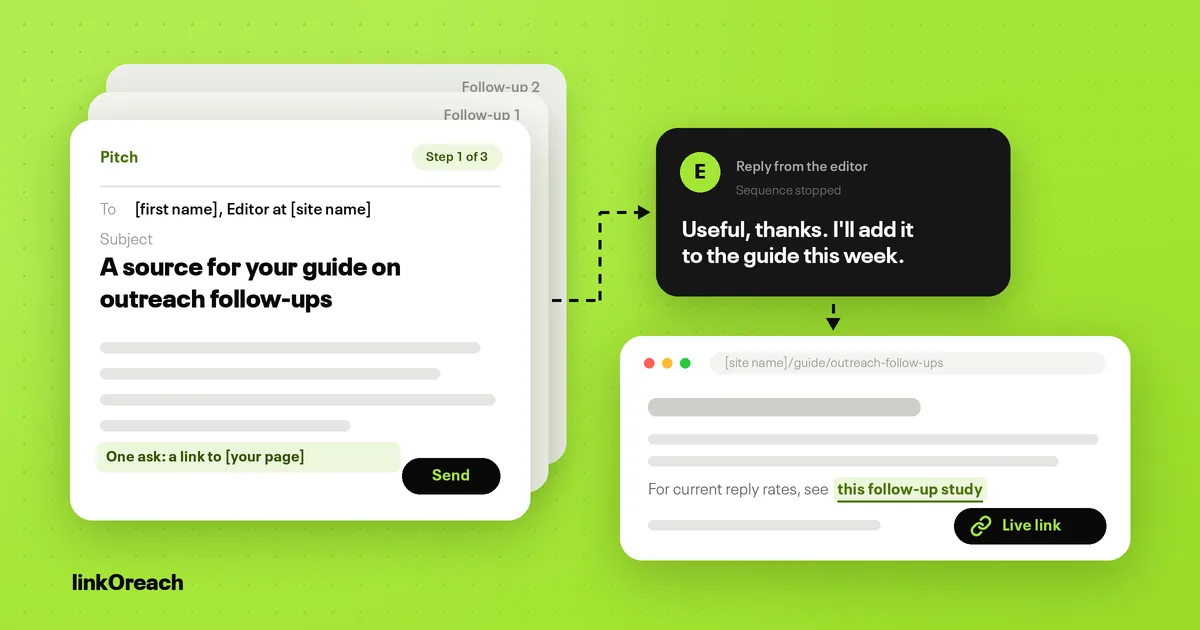
Link building outreach is the work of emailing editors and site owners with one specific, page-level reason to link to you, then following up until you get a yes, a no or a live link. In 2026 the campaigns that earn links are small and tightly targeted, sent from a custom domain, and followed up twice with something new each time; the data below shows why each of those choices matters.
This guide covers the full process: prospecting and qualifying sites, finding the right person, writing the pitch, follow-up cadence, deliverability rules, the Google policies that apply to each campaign type, copyable templates and a worked example of how many prospects you need for a given number of links.
What link building outreach covers
Outreach is the delivery mechanism, not the tactic. The same prospecting and email workflow sits behind every common campaign type:
- Guest posts: you write a full article for another site, with one contextual link back.
- Niche edits: you ask an editor to add a sentence, source or resource to a page that already exists and already ranks.
- Listicle placements: you ask to be included in a "best X" or "top X" roundup in your category.
- Blogger outreach: you pitch independent bloggers for reviews, mentions or collaborations. Our blogger outreach software compared on price covers the tools built for it.
- Link exchanges: two relevant sites link to each other.
- Unlinked brand mentions: a page already names your brand, and you ask for the name to become a link.
What changes between them is the ask and the policy risk, covered in its own section below. What stays the same is the sequence: find the right page, find the right person, give them a reason, follow up, and confirm the link.
What the data says about reply rates
Most published outreach advice is opinion. Two datasets are large enough to be useful. Hunter's State of Email Outreach 2026 analyzed 31 million emails sent by its users in 2025. Backlinko's older study of 12 million outreach emails, run with data from an outreach platform and last updated in 2019, is still the largest one focused on link building pitches.
| Factor | Lower result | Higher result | Source |
|---|---|---|---|
| Sequence size | 500+ recipients: 2.4% reply rate | 21 to 50 recipients: 6.2% | 2026 outreach report |
| Sending domain | Free email address: 2.5% | Custom domain: 5.2% | 2026 outreach report |
| Messages per sequence | 1 message: 3.3% | 3 messages: 6.8% | 2026 outreach report |
| Open tracking | Tracking on: 4.4% | Tracking off: 7.4% | 2026 outreach report |
| Daily volume per mailbox | All senders average: 4.5% | 20 to 49 emails a day: 5.7% | 2026 outreach report |
| Personalized body copy | Generic body | 32.7% more replies | 12 million email study |
| One follow-up | No follow-up | 65.8% more replies | 12 million email study |
| Overall reply rate on outreach emails | 8.5% of emails got a response | 12 million email study | |
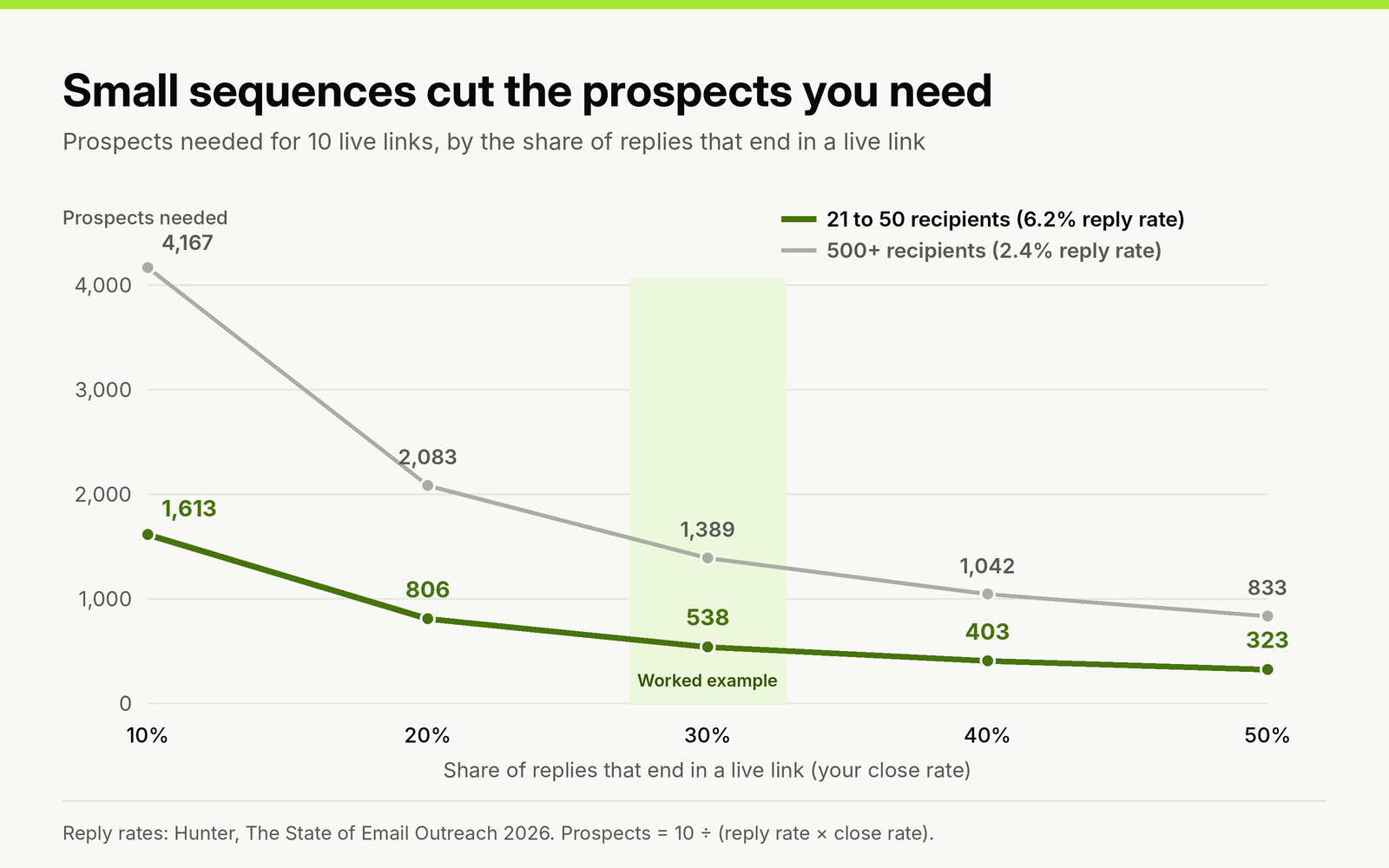
Prospects needed for 10 live links at a 6.2% and a 2.4% reply rate, across close rates from 10% to 50%. Reply rates from the 2026 outreach report; the close rates are hypothetical, so read across from your own.
Three practical conclusions follow. Keep each sequence small enough that every pitch can reference the specific page you want a link on. Send from a domain you own, never a free mailbox. And send the full sequence: the first email produces the most replies, two follow-ups nearly double the average reply rate, and sequences with three or more follow-ups had lower average reply rates. Two follow-ups is the ceiling, not the floor.
Treat both datasets as directional. The 2026 report's numbers cover all cold email, not only link requests, and the 12 million email study is older. Your own reply rate by campaign type is the benchmark that matters; the section on metrics below shows how to track it.
The link building outreach workflow, step by step
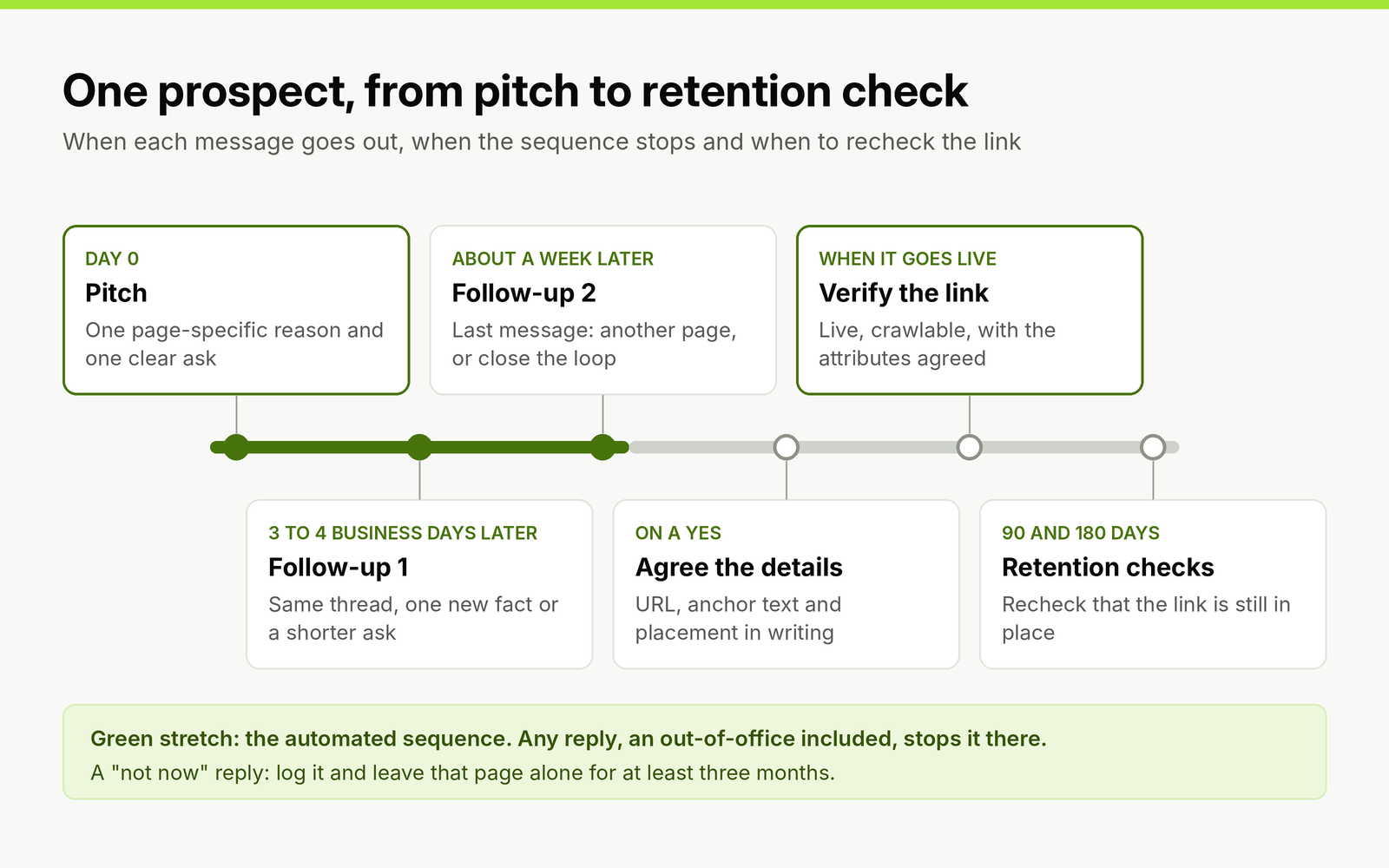
The timing of one prospect from first pitch to retention check. Only the first three messages are automated, and any reply ends that stretch.
1. Build the prospect list
Start from pages, not domains. A domain with a high Domain Rating tells you nothing about whether it has a page where your link belongs. Useful starting points:
- Pages that link to two or more of your competitors but not to you (a backlink gap report).
- Pages ranking in the top 20 for keywords your target page covers.
- Roundups and resource pages in your category that list tools or guides like yours.
- Pages that mention your brand, product or founder without a link.
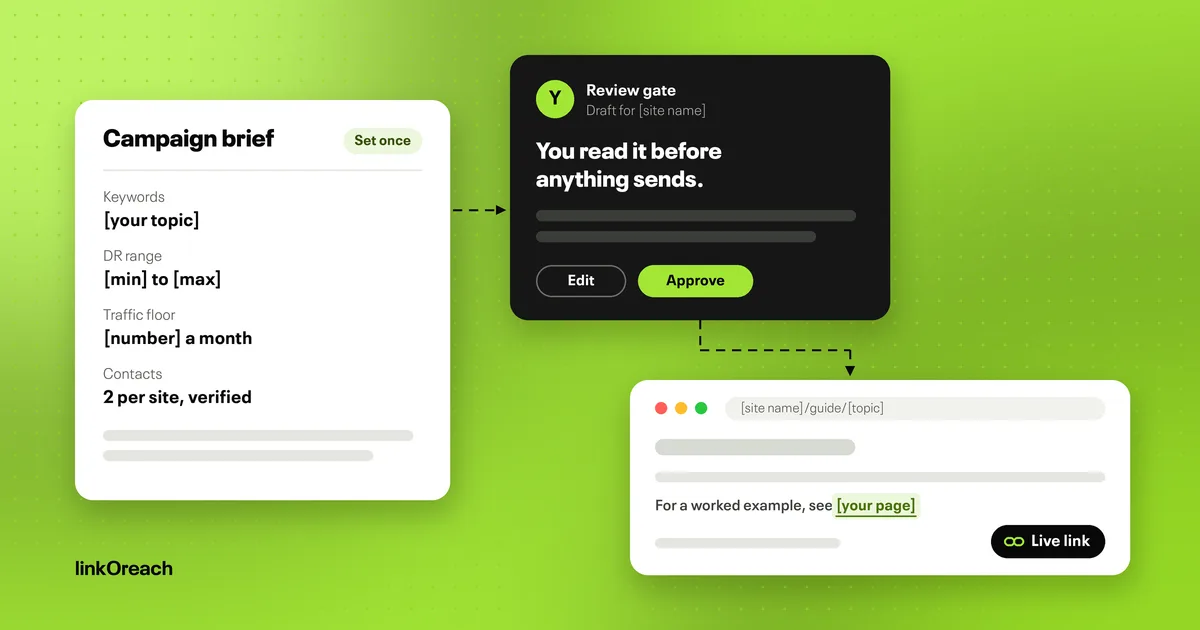
Set your filters before you pull anything: a topic, a DR range you will accept, a minimum organic traffic level and any countries you want to exclude. Writing these down first stops the list from drifting toward whatever is easiest to email.
2. Qualify every site before you pitch it
Qualifying before you pitch protects both your reply rate and your sending reputation. A site passes if it meets all of these:
- The page you want a link on is about the same subject as the page you are linking to.
- Organic traffic is stable or rising over the last 12 months, not a spike followed by a cliff.
- The site links out editorially to sources, not only to sponsors.
- There is no "write for us" page listing prices for links, and no sitewide pattern of off-topic outbound links.
- The site is indexed and the target page returns a 200 status.
3. Find the right person
Pitch the person who can edit the page. On a content site that is usually the author or the editor of that section; on a company blog it is often the content marketing lead or the SEO lead. A generic info@ address is a last resort. Verify every address before it enters a sequence, because bounces count against your sending reputation from the first send.
Sending to several contacts at the same site produced a 93% higher response rate than emailing one contact in the 12 million email study, with diminishing returns at five or more. In practice, two contacts per site, emailed separately and not in the same thread, is a reasonable limit.
4. Write the pitch
A pitch that gets read has four parts and fits on a phone screen:
- Who you are and why you are writing to them: one line, naming the exact page.
- The reason: what your page adds to theirs that it does not already have. A data point, a newer screenshot, a step they skipped.
- One ask: a link, a placement in the list or an article pitch. Never two asks in one email.
- An easy exit: make it clear that no reply is a fine answer.
Do not invent praise, and do not claim to have read something you have not. Generic compliments fit any site, so they tell the editor nothing; a single concrete reference to their page does the work instead.
5. Follow up twice
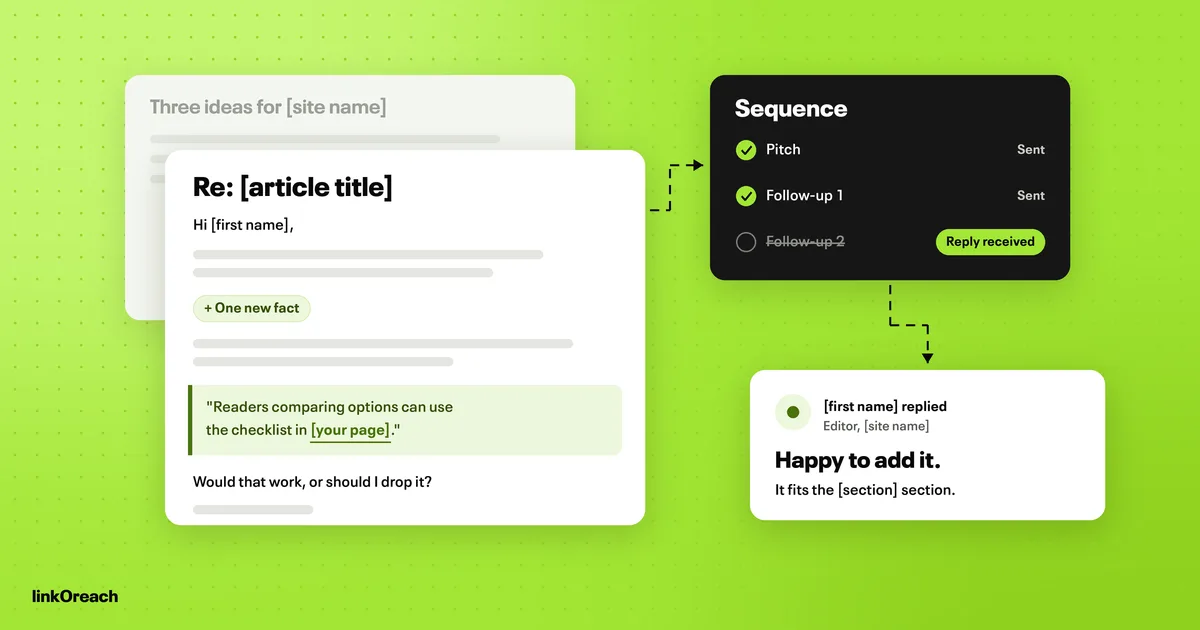
Send the first follow-up three to four business days after the pitch and the second about a week after that. Each follow-up must add something the previous email did not have: a new data point, a shorter version of the ask, or a different page on their site where the link fits. "Just bumping this" adds nothing and is what gets outreach marked as spam. Our follow-up email templates for link requests cover both messages, plus the cases a sequence misses, such as out-of-office replies and agreed links that never go live.
6. Handle replies
Stop the automated sequence the moment anyone replies, including an out-of-office. Replies fall into four groups, and each needs a different response:
- Yes: confirm the exact URL, anchor text and placement in writing.
- Yes, for a fee: decide against your policy on paid links before replying. If you pay, the link must carry rel="sponsored" or rel="nofollow" to stay within Google's rules (see below).
- Not now: log it with a date and a reason, and do not pitch the same page again for at least three months.
- No or unsubscribe: suppress the contact across every campaign, not only this one.
7. Verify the link and keep checking
A "yes" is not a link. Confirm the link is live, points to the agreed URL, is crawlable, and carries the attributes you agreed. Recheck live links on a schedule; links get removed during site redesigns and content updates. If you manage many placements for clients, the order tracking, vendor records and client reporting that start after a link is agreed are what BuildLinks is built for.
Match the pitch to the campaign type
Google's spam policies define link spam as "creating links to or from a site primarily for the purpose of manipulating search rankings" (Google Search Central, Spam policies). The policy names specific practices, and they map closely onto outreach campaign types.
| Campaign type | Pitch it when you find | What you ask for | What Google's spam policies say |
|---|---|---|---|
| Guest post | A site that publishes contributor articles on your topic | A full article with one contextual link | Lists "links with optimized anchor text in articles, guest posts, or press releases distributed on other sites" as link spam |
| Niche edit | An existing page that already ranks for your topic | One sentence, source or resource added | Lists buying or selling links for ranking purposes, including exchanging goods or services for links |
| Listicle placement | A "best X" roundup in your category | Your product added to the list | Paid inclusion is acceptable only if the link is qualified with rel="sponsored" or rel="nofollow" |
| Link exchange | A relevant site with its own link needs | Two links, one each way | Lists "excessive link exchanges" and partner pages made only for cross-linking |
| Unlinked mention | A page that already names your brand | The existing mention turned into a link | Not named as a practice in the policy |
None of these campaign types is risk free once money, goods or reciprocal links are involved. Paid placements, link exchanges and guest posts with keyword-matched anchors are all named in the policy. Use branded or URL anchors in guest posts, keep exchanges rare and topical, and qualify any paid link.
Google finished rolling out its September 2026 spam update on October 8, 2026, after it started on September 24 and ran for about two weeks across all languages (Google Search Status Dashboard). Google did not publish a list of what it targeted, so treat it as a reason to audit recent placements against the table above rather than as evidence about any one tactic.
Deliverability rules that apply to outreach senders
Outreach volume is usually far below the levels that trigger the strictest mailbox provider rules, but the same signals decide whether a pitch reaches the inbox. Our deliverability guide for outreach domains covers each rule below in more depth, with a ramp-up schedule and a pre-send checklist.
- Authentication: Yahoo requires all senders to implement SPF or DKIM at a minimum, and bulk senders to implement both plus a DMARC policy of at least p=none (Yahoo Sender Hub). Set up all three on your outreach domain regardless of volume.
- Spam complaints: The same sender guidelines ask every sender to keep the spam complaint rate below 0.3%. For outreach, that is the main reason to keep lists tightly targeted.
- Bulk sender threshold: At Gmail, bulk senders are those sending more than 5,000 messages to Gmail addresses in one day (Google). Few outreach teams reach this, but the authentication and complaint rules still shape inbox placement below it.
- Daily volume: Mailboxes sending 20 to 49 emails a day had a 5.7% reply rate against a 4.5% average. Add mailboxes on a separate outreach domain rather than pushing one mailbox harder.
Link building outreach templates you can copy
Each template makes one ask, says who is writing and why, and leaves out claims you cannot back up. Replace every bracketed placeholder; if you cannot fill one with something true, do not send that email. For listicle, resource page, broken link and reply templates, see our full library of cold email templates for link building.
Guest post pitch
Use when the site publishes contributor articles and you have a topic its archive does not already cover.
Subject: Article idea for [site name]: [working title]
Hi [first name],
I'm [your name], [your role] at [company]. I read [specific article title] and noticed your archive covers [topic A] and [topic B] but not [gap topic].
I'd like to write "[working title]" for [site name]. It would cover [point 1], [point 2] and [point 3], using [your original data, example or process]. Around [word count] words, written to your guidelines, with one link to [your page] where it supports the text.
If it's not a fit, no reply needed.
[Your name]
[Title, company, URL]
Niche edit or resource addition
Use when an existing, ranking page would be more complete with your resource added.
Subject: A source for your [article title] section on [subtopic]
Hi [first name],
I'm [your name] from [company]. Your article "[article title]" explains [subtopic] but doesn't include [missing element, such as current figures or a worked example].
We published [your page title], which covers [specific thing it adds]: [URL]. If it's useful, it would fit after the paragraph starting "[first words of paragraph]".
Either way, thanks for reading.
[Your name]
Unlinked brand mention
Use when a page already names your company or product without linking to it.
Subject: Thanks for mentioning [brand] in [article title]
Hi [first name],
I'm [your name] at [brand]. Thanks for including us in "[article title]".
Would you be open to linking the mention to [exact URL]? It would take readers straight to the [page type] you described.
[Your name]
Follow-up 1 (three to four business days later)
Use in the same thread; add one new piece of information.
Subject: Re: [original subject]
Hi [first name],
One addition since my last note: [new fact, such as "we updated the guide with 2026 figures" or "it now includes a template readers can copy"].
Happy to send a two-line summary you could drop into the article if that's easier.
[Your name]
Follow-up 2 (about a week after follow-up 1)
Use as the last message; offer a different placement or close the loop.
Subject: Re: [original subject]
Hi [first name],
Last note from me on this. If [original page] isn't the right place, [other page on their site] covers [related subtopic] and the resource may fit there instead.
If neither works, I won't follow up again.
[Your name]
Worked example: how many prospects for 10 links
Planning backward from a link target keeps campaigns honest about the effort involved. This example uses the 6.2% reply rate for sequences of 21 to 50 recipients and the 20 to 49 daily sends band from the data above. The close rate is a hypothetical figure for the arithmetic; replace it with your own from past campaigns.
- Target: 10 live links.
- Reply rate: 6.2%, assuming small, well-targeted sequences.
- Share of replies that end in a live link: 30% (hypothetical; use your own).
- Prospects needed: 10 ÷ (0.062 × 0.30) = about 538 qualified sites.
- Sequences: split into 12 sequences of about 45 prospects, each built around one target page or angle.
- Emails sent: 538 prospects × 3 messages = about 1,614 emails, if nobody replies early.
- Sending time: at 40 emails a day per mailbox, that is about 40 sending days on one mailbox, or about 20 on two.
If your own close rate is 15% instead of 30%, the prospect count doubles to about 1,075. That single input changes the plan more than any subject line test will, which is why it is worth tracking per campaign type.
Metrics to track
- Reply rate per campaign and per campaign type. Compare like with like; unlinked mention campaigns and guest post pitches are different jobs.
- Positive reply rate: replies that agree to a link, with or without conditions.
- Placement rate: live links divided by prospects contacted. This is the number to plan with.
- Time to live link: days from first email to verified link.
- Link retention: share of links still live after 90 and 180 days.
- Bounce and complaint rates: early warning that a list or domain needs attention.
Opens are a weak signal. Campaigns without open tracking had a 7.4% reply rate against 4.4% with tracking on. Judge campaigns on replies and live links, and test turning tracking off.
Manual outreach or outreach software
Manual outreach from a normal mailbox works for a handful of hand-written pitches a month. Past that point the spreadsheet is the bottleneck: tracking who was contacted, when each follow-up is due, who replied and which links went live. Our guide on what to automate in link building and what to keep manual splits that work stage by stage. Our comparison of email outreach tools for link builders prices cold email senders and link building platforms against the same monthly workload, and if you are moving off a sales sender, our look at link building alternatives to lemlist works through the switch.
That is the stage we built linkOreach for, and Linkzy is the AI agent inside it. As our features page sets out, Linkzy builds a prospect list from keywords, a DR range, a traffic floor and a location using third-party SEO data; picks a contact at each site, starting with the SEO lead, then content marketing, then the CMO; verifies addresses; writes a pitch for each site that you can edit before sending; sends follow-ups on a schedule and stops when someone replies; and tracks each thread through to a live backlink. You can also run every step yourself. You also get a shared inbox, per-campaign reporting, A/B testing of two pitches, a backlink gap analysis across up to five competitor domains, and sending from your own Gmail, Outlook or SMTP mailbox. You stay responsible for your sending setup and domain reputation.
We currently offer one plan at $49 a month, which is introductory monthly pricing, with 500 email credits, 5,000 searches and 100,000 SEO data credits, plus a 7-day free trial with no credit card. Our pricing page always has the current terms.
We did not build linkOreach for sales cold email to buyers, and it is not a contact database. If you send a few pitches a month and are happy managing them in your inbox, you do not need it. We built it for agencies, in-house SEO teams and freelancers whose job is earning links.
Conclusion
Link building outreach in 2026 rewards precision over volume. Build the list from pages rather than domains, qualify every site before it gets an email, pitch the person who can edit the page with one concrete reason to link, and follow up twice with something new each time. Send from a domain you own with SPF, DKIM and DMARC in place, and keep each sequence small enough that every pitch can name the page it is about.
Plan backward from the number of links you need using your own reply and close rates, and judge campaigns on replies, live links and retention rather than opens. Keep paid and reciprocal placements inside Google's spam policies, and recheck every link after it goes live, because a link that disappears in month four is a link you no longer have.
If outreach is a core part of your work, start a free linkOreach trial and run one small sequence of 21 to 50 prospects against the workflow above.
Frequently Asked Questions
What is a good reply rate for link building outreach?
There is no single benchmark. One 2026 email outreach report puts the average cold email sequence reply rate at 4.5%, and 6.2% for sequences of 21 to 50 recipients. An older study of 12 million outreach emails found 8.5% of outreach emails got a response. Track your own rate per campaign type and judge each campaign against that.
How many follow-ups should I send for link building outreach?
Two. In 2026 email outreach data, sequences of three messages had a 6.8% reply rate against 3.3% for a single email, while sequences with three or more follow-ups had lower average reply rates. Make each follow-up add something new, such as a fresh data point or a different page where the link fits.
Is link building outreach against Google's guidelines?
Asking for a link is not. Google's spam policies name specific practices as link spam, including buying or selling links for ranking purposes, excessive link exchanges, and optimized anchor text in guest posts. Paid links are acceptable only when they carry rel="sponsored" or rel="nofollow".
How many outreach emails should I send per day?
In 2026 email outreach data, mailboxes sending 20 to 49 emails a day had a 5.7% reply rate against a 4.5% average. To send more, add mailboxes on a separate outreach domain instead of raising the volume on one mailbox.
Should I use open tracking in outreach emails?
Test without it. One 2026 outreach report found campaigns without open tracking had a 7.4% reply rate against 4.4% with tracking on. Replies and live links are better measures of a campaign than opens.