Cold Email Deliverability for Link Building Outreach
Cold email deliverability for link building outreach comes down to four controls: a separate outreach domain with SPF, DKIM and DMARC in place, 20 to 49 sends a day per mailbox, a verified list that bounces under 2%, and a spam complaint rate held below 0.1%. Get those right and the content of your pitch decides the rest.
Link builders start with an advantage most deliverability guides ignore: their volume is small and their emails are specific. That advantage has a catch. At 60 emails a day, a single editor who clicks "Report spam" can push that day's complaint rate past Google's limit. This guide covers the setup, the provider rules, the sending math and the monitoring routine for outreach senders, with a checklist to copy at the end.
What cold email deliverability measures
Delivery and deliverability are different numbers. Delivery means the receiving server accepted the message. Deliverability means it landed in the inbox rather than the spam folder or nowhere at all. Your sending tool reports the first and stays silent about the second, so a campaign can show near-perfect delivery while a share of it sits in spam.
The gap varies by mailbox provider. Validity's 2026 Email Deliverability Benchmark, built on seed tests run by its customers through 2025, put global inbox placement at 87.2%, with 6.6% landing in spam and 6.1% missing entirely. Microsoft mailboxes were the hardest to reach: 77.4% inbox, 15.1% spam and 7.5% missing, against 89.8% inbox for Gmail.
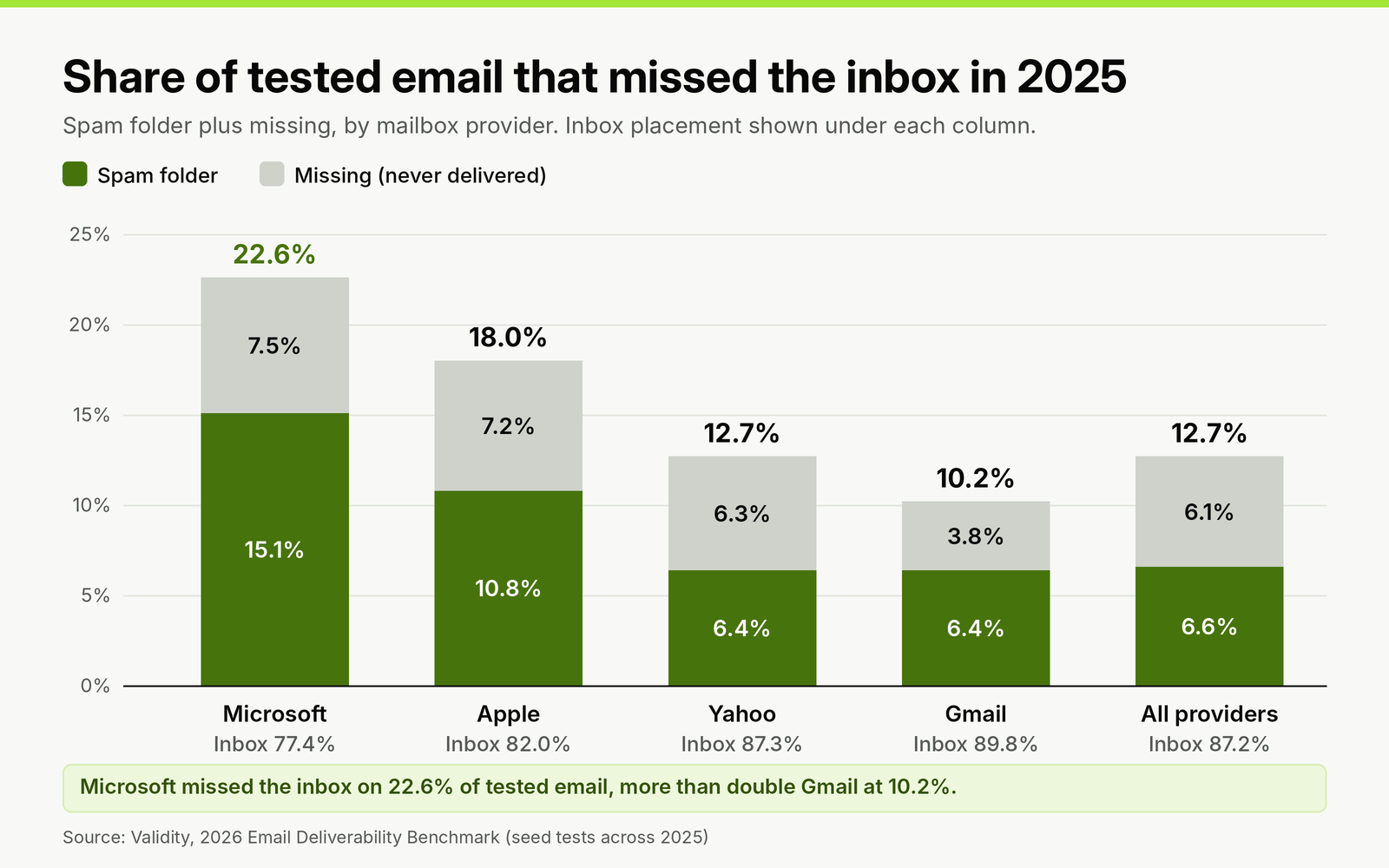
Where seed-tested email landed in 2025, by mailbox provider. Most of the tested mail is permission-based marketing, so treat these as a ceiling for cold outreach, not a forecast.
Two things follow for outreach. Microsoft was the hardest provider to reach in these tests, so track replies from editors whose mail runs on Microsoft separately. And because the benchmark measures mostly opted-in mail, a cold pitch starts below these figures, never above them.
Why link building outreach has its own deliverability profile
Sales teams send thousands of near-identical emails a day and worry about volume caps. Link builders send dozens of specific pitches to editors and worry about something else: each recipient carries far more weight.
Google asks senders to keep the user-reported spam rate below 0.1% and never reach 0.3%. Those thresholds were written with large senders in mind. Run the arithmetic at outreach volumes and one complaint does a lot of damage. If 100 of your messages reach Gmail inboxes in a day and one editor reports you, that day's spam rate is 1%, ten times the target. A single complaint only falls under 0.3% once you deliver about 334 messages to Gmail that day, and under 0.1% at 1,000.
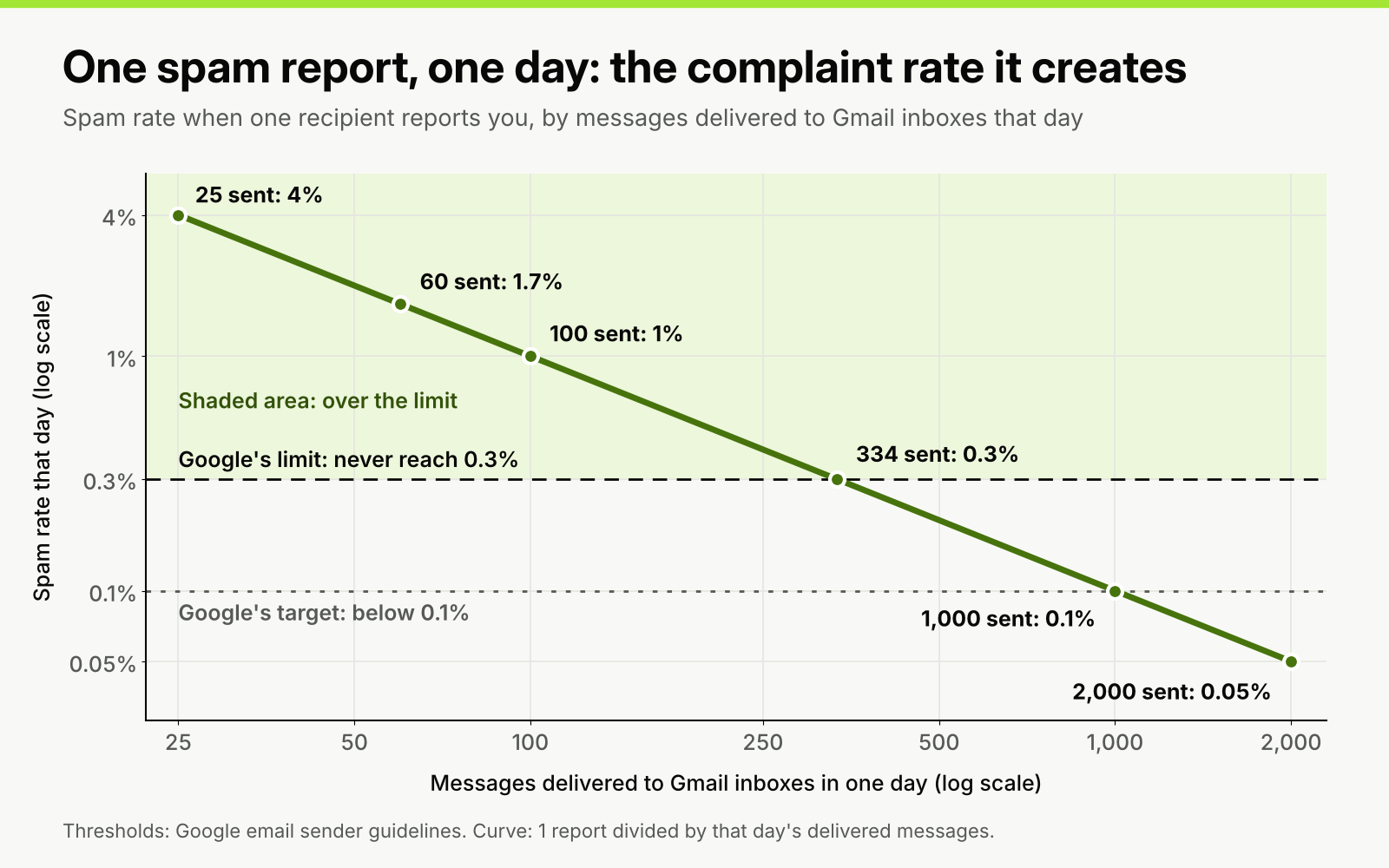
The spam rate one "Report spam" click produces on a single day, by daily volume. Thresholds from Google's email sender guidelines.
The lesson is not to send more to dilute complaints. It is that relevance is a deliverability setting. A pitch about the editor's own article, sent to the person who can edit it, rarely gets reported. A pitch to info@ about a page they have never heard of does. Every qualification step in how a link building outreach campaign runs end to end is also a step that protects your domain.
The rules Gmail, Yahoo and Microsoft enforce
The three largest mailbox providers publish their requirements. Most outreach senders never reach the bulk thresholds, but meet the bulk rules anyway: they cost nothing to set up and remove the most common reasons for a rejection.
| Rule | Gmail | Yahoo | Microsoft (Outlook.com, Hotmail, Live) |
|---|---|---|---|
| Authentication, every sender | SPF or DKIM, forward and reverse DNS, TLS | SPF or DKIM, forward and reverse DNS | Rules published for high-volume senders |
| Bulk threshold | Close to 5,000 messages a day to personal Gmail accounts, counted per primary domain; permanent once reached | No volume figure published | 5,000 or more emails a day |
| Authentication, bulk senders | SPF, DKIM and DMARC (p=none or stricter), From domain aligned | SPF and DKIM, DMARC of at least p=none that passes, From domain aligned | SPF and DKIM pass, DMARC of at least p=none aligned with one of them |
| Spam complaint rate | Below 0.1%, never 0.3% | Below 0.3% | No published figure |
| Unsubscribe | One-click for marketing mail from bulk senders | One-click for bulk marketing mail, honored within 2 days | Recommended, easy to find |
| What happens to mail that fails | Temporary and permanent rejections, or the spam folder | Not stated | Rejected with error 550 5.7.15 since May 5, 2025 |
Sources: Google's email sender guidelines and its sender guidelines FAQ, Yahoo's sender best practices, and dmarcian's summary of Microsoft's Outlook requirements. Google also says it began ramping up enforcement on non-compliant traffic in November 2025, so a missing DMARC record is a bigger risk now than when these rules launched.
One detail matters for agencies. Gmail counts the 5,000 toward the primary domain, and mail from subdomains rolls up into the parent. Sending outreach from outreach.yourclient.com counts toward yourclient.com and ties every cold pitch to the brand's main domain. A separately registered domain keeps them apart.
Domain and authentication setup
Set this up once per outreach domain, before the first pitch.
- Register a separate outreach domain close to the brand name, such as getbrand.com or brandhq.com, and redirect its home page to the main site so an editor who checks it lands somewhere real.
- Create the mailboxes on Google Workspace or Microsoft 365 under named people, not a role address. Hunter's State of Email Outreach 2026, built on 31 million emails sent in 2025, found 5.2% reply rates from custom domains against 2.5% from free mailboxes, and 5.9% from Google Workspace against just over 4% from Microsoft 365.
- Publish one SPF record that lists your mailbox provider and any sending tool that relays mail for you. Two SPF records on one domain make SPF fail.
- Turn on DKIM signing in your mailbox provider's admin console and publish the key it gives you. If your outreach tool sends through its own servers rather than your mailbox, it needs its own DKIM key on your domain too.
- Publish a DMARC record at p=none with a reporting address. Read the reports for two to four weeks, confirm every legitimate source passes, then move to p=quarantine.
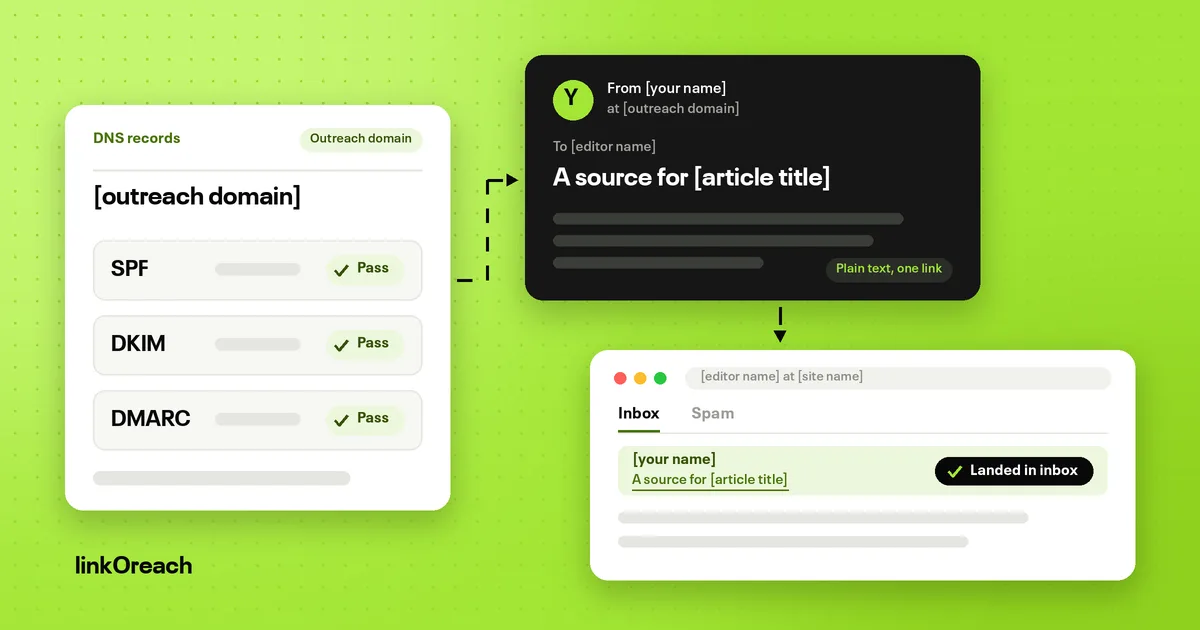
- Check alignment. The domain in the From line must match the domain that passes SPF or DKIM. Send a test to a Gmail address and use "Show original": SPF, DKIM and DMARC should all read PASS.
- Leave open tracking off. Tracking adds a pixel and often rewrites links through a shared tracking domain. Campaigns with it off had a 7.4% reply rate against 4.4% with it on. If you must track clicks, use a custom tracking domain.
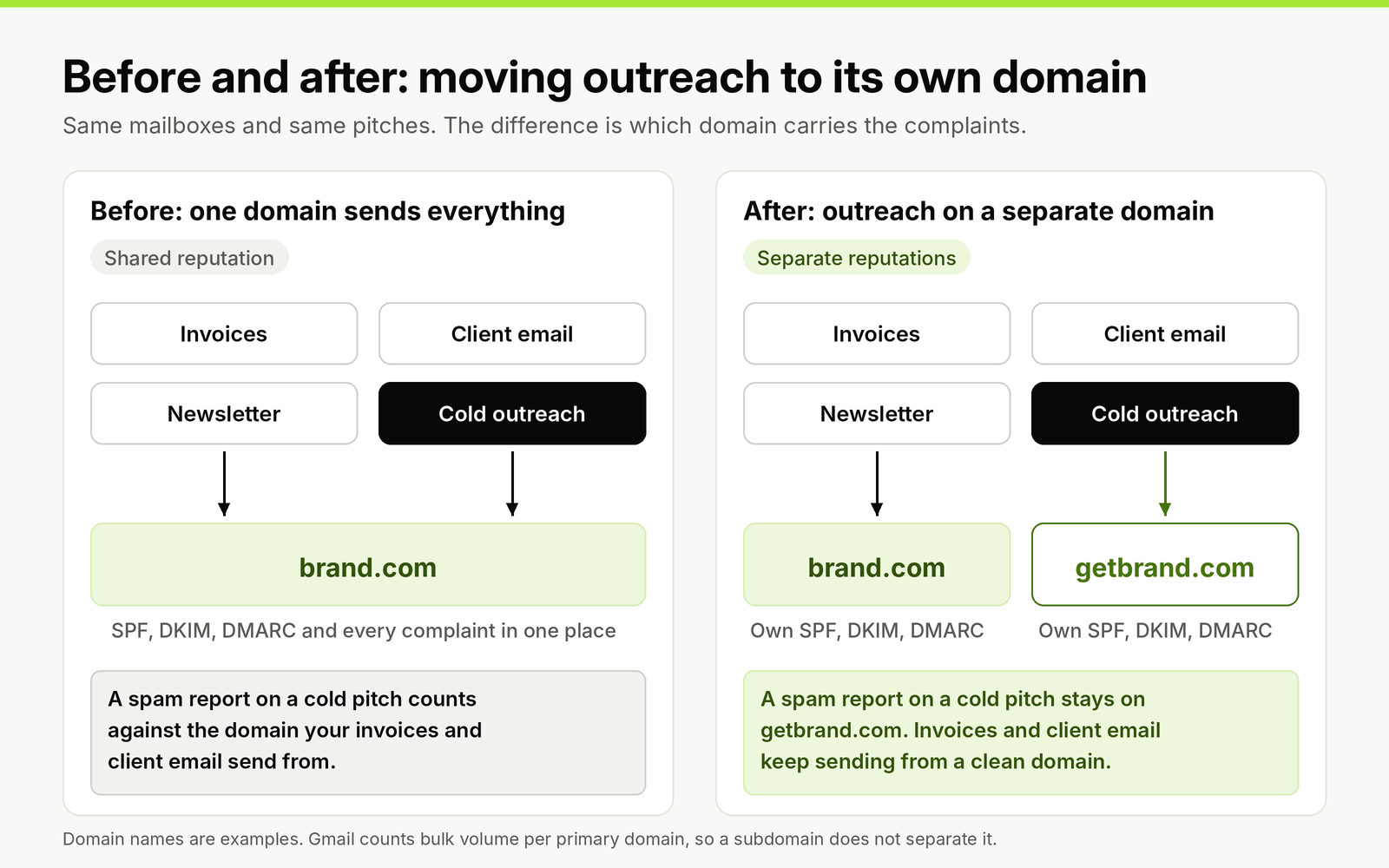
Moving outreach to its own registered domain keeps complaints from a cold campaign away from invoices, support and client mail.
New Microsoft 365 tenants have one trap of their own. Mail sent from the default onmicrosoft.com domain is capped at 100 external recipients a day per organization, and trial tenants at 5,000 external recipients a day. Add and verify your outreach domain before you send anything, and expect a new tenant to have less headroom than an established one.
Mailboxes, daily volume and ramp-up
Provider caps are not what limits outreach. A Google Workspace user can send 2,000 messages a day (500 on a trial account), and an Exchange Online mailbox can reach 10,000 recipients a day. The limit that matters is the volume at which replies hold up. Mailboxes sending 20 to 49 emails a day had a 5.7% reply rate against a 4.5% average, and 50 to 99 a day replied at a similar rate. Above that, add mailboxes rather than pushing one harder.
Google's own guidance is to start with a low volume to engaged recipients, increase slowly, send at a consistent rate and avoid suddenly doubling volume. For a new outreach mailbox, that translates into a schedule like this one, built from real pitches rather than a warm-up network:
| Week | New pitches a day per mailbox | Move on when |
|---|---|---|
| 1 | 5, to your warmest prospects (past contacts, sites that already mention you) | No bounces, at least one reply |
| 2 | 10 | Bounces under 2%, no spam complaints |
| 3 | 15 to 20 | Replies arriving from Gmail and Microsoft domains alike |
| 4 onward | 20 to 40, plus that day's follow-ups | Hold here; add a mailbox for more volume |
Count follow-ups in the daily total. A pitch plus two follow-ups means a mailbox that starts 20 new prospects a day is sending close to 60 emails a day by the third week of a campaign.
Worked example: mailboxes for an agency running three clients
An agency contacts 150 prospects a month for each of three clients, with a pitch and two follow-ups. That is up to 1,350 emails a month, or about 61 a day across 22 sending days. At 25 to 40 sends per mailbox, two to three mailboxes cover it. One outreach domain per client keeps each client's complaints, and each client's suppression list, separate; with one domain per client, the agency runs three domains with one mailbox each.
Now apply the complaint math. If 25 of a client's daily emails reach Gmail inboxes, one complaint that day is a 4% spam rate. The volume is tiny next to the 5,000 bulk threshold, yet the domain has almost no room for a careless list. Our comparison of outreach tools on mailbox allowances and price shows which tools let you keep clients on separate domains and which charge for each workspace.
Warm-up after Heatwave
Warm-up networks connect your mailbox to thousands of others that open, reply to and rescue each other's emails from spam. In September 2026 Validity launched Heatwave, a blocklist for domains that show this synthetic warming, and its listing policy is strict: listings do not expire because you stopped warming or changed how you send, and removal requires a manual review showing the listing was wrong. Related domains in a warming family can be listed before they send anything.
For link builders the trade is not close. Outreach volume is low enough to warm a mailbox with real pitches on the schedule above, so a warm-up network adds a permanent risk to solve a problem you mostly do not have. If a tool switches warm-up on by default, turn it off, ask the vendor how its warm-up generates engagement, and look up your domains on Validity's lookup tool. If you are moving off a tool with built-in warm-up, our lemlist alternatives compared for link building show which outreach tools include it on their entry plans.
List quality and bounce rate
Bounces are the deliverability problem link builders cause themselves. The average bounce rate across those 31 million cold emails was 3.6%, and the same report quotes a deliverability practitioner warning that anything above 2% damages the sending domain. Hard bounces tell providers you send to addresses you never checked, which is what spammers do.
- Verify every address before it enters a sequence, and again if it has sat in a list for more than three months.
- Treat catch-all domains with care. A verifier cannot confirm a single address on a domain that accepts everything. Send to catch-all addresses only when the contact is the named author of the page you are pitching.
- Skip role addresses such as info@, editor@ and contact@ when a named author exists. A shared inbox is where pitches get reported, because nobody reading it asked to hear from you.
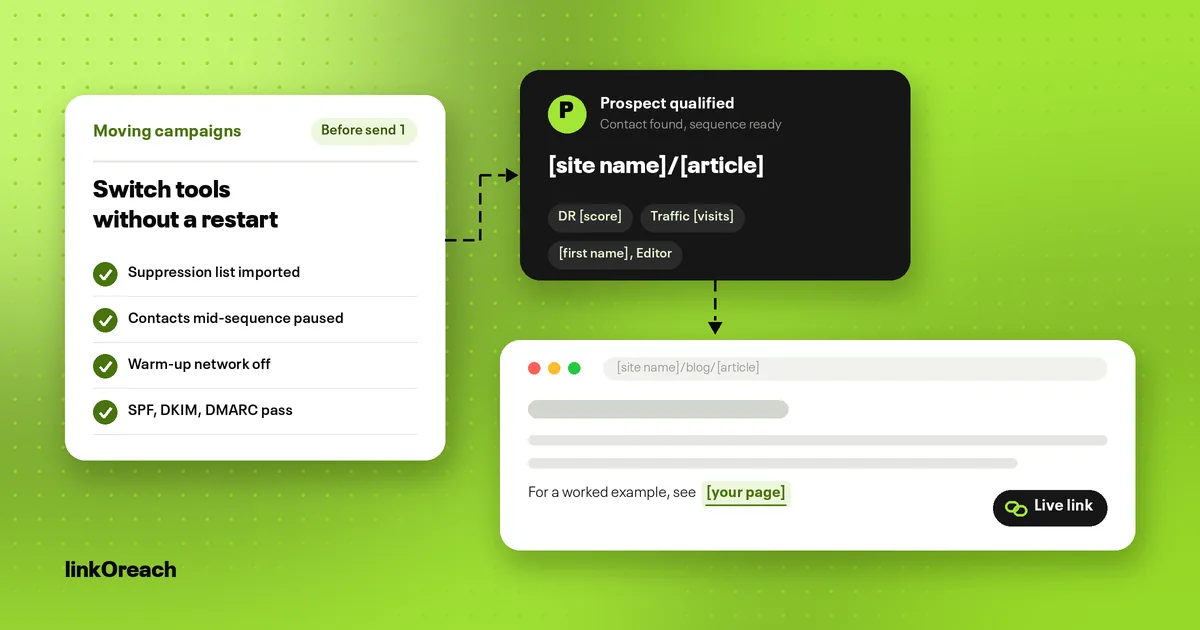
- Keep one suppression list across every campaign and client. An editor who said no to one client's pitch should not get another agency pitch next week.
- Pause the mailbox when a campaign's bounce rate passes 2%, clean the list and restart at half the previous volume.
Pitch content that helps deliverability
Filters judge the message as well as the sender, and link building pitches have a specific weak spot: they exist to share a link. Keep them looking like one person writing to another.
- One link to your page, written as the full URL or a short descriptive anchor. No link shorteners, which spammers use to hide destinations.
- Plain text, no images, no attachments, and a text signature without a logo.
- A subject that matches the body, naming the article or the offer rather than teasing it.
- Real page-level personalization in the opening line, so no two emails in a campaign are near-identical. Identical bodies sent at volume are what content filters look for.
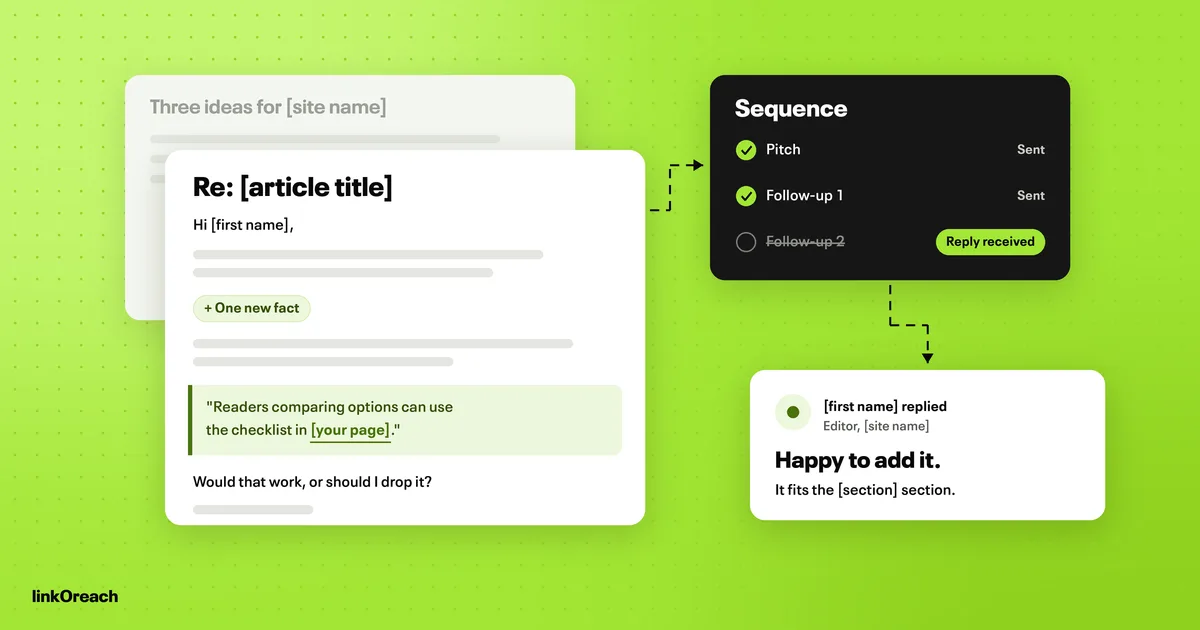
- A plain way to opt out, such as "If this isn't relevant, reply no and I won't write again." Recipients who can say no easily have less reason to press "Report spam".
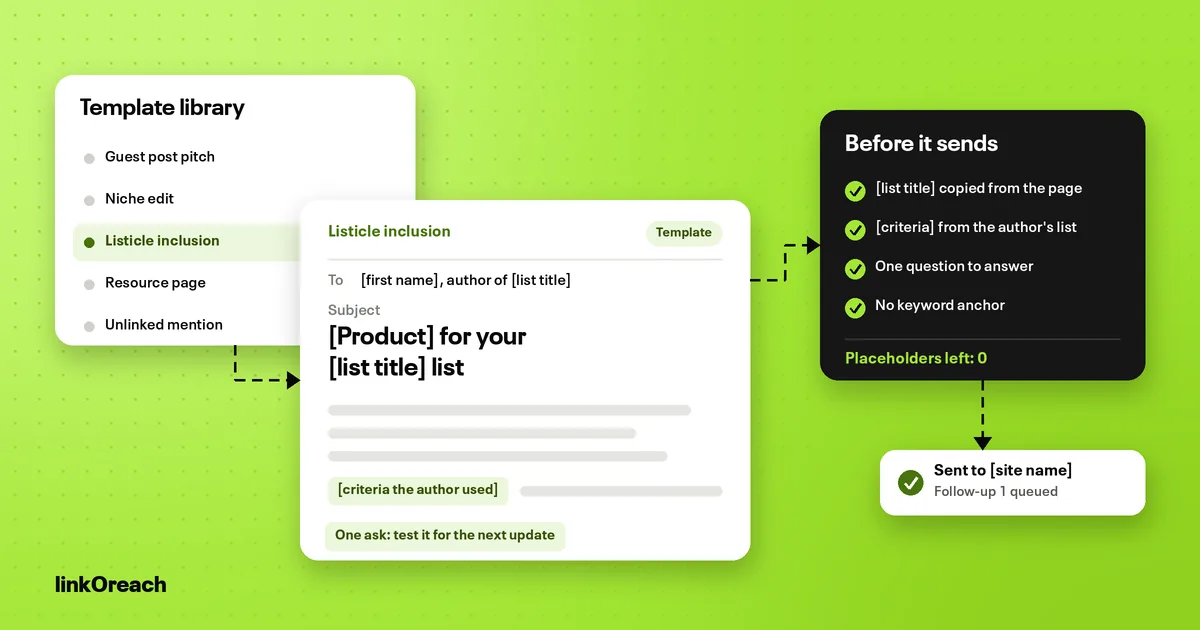
Our plain-text pitch templates for each campaign type follow these rules and leave the personalization slots marked.
Monitoring, and what to do when replies drop
Opens are no longer a reliable deliverability signal: tracking is off on a good setup, and privacy features load pixels without a person reading anything. Watch these instead.
- Reply rate by recipient provider. Tag each prospect by the provider that hosts its mail (the domain's MX record shows Google or Microsoft) and compare reply rates weekly. A drop on one provider points to a placement problem there.
- Bounce rate per campaign, with the 2% line as your stop sign.
- Google Postmaster Tools for your outreach domain. Google's Postmaster Tools transition page says the legacy interface's retirement is postponed, and the Domain and IP Reputation dashboards will not carry over to v2, which adds a compliance status dashboard instead. Set up v2 now so you are not learning it during a problem.
- Blocklists and Heatwave, checked monthly and whenever replies fall.
- A seed test before each new campaign: send the first pitch to your own Gmail, Outlook and Yahoo addresses and see where it lands.
When replies fall suddenly, work in this order: stop the sequences on the affected domain; read the bounce messages, since a 550 5.7.15 or a Gmail authentication error names the cause; confirm SPF, DKIM and DMARC still pass with a fresh test; look up the domain on blocklists and Heatwave; check what changed in the last week (a new list source, a new tool, a jump in volume, tracking switched on); then restart at half the previous volume with your best-qualified prospects. Most drops trace back to the list or the volume, not the copy.
Automation makes the last two causes easy to trigger, because a tool will happily send a bad list at full speed. Our guide to which outreach stages are safe to automate puts a person on the list before anything sends.
Cold email deliverability checklist
Copy this into your campaign brief and tick every line before the first send.
- [ ] Outreach runs on a separately registered domain, not a subdomain of the main brand.
- [ ] The outreach domain's home page redirects to the main site.
- [ ] One SPF record covers every service that sends for the domain.
- [ ] DKIM is signing for the mailbox provider and for any tool that relays mail.
- [ ] DMARC is published at p=none with reports going to an inbox someone reads.
- [ ] A test to Gmail shows SPF, DKIM and DMARC all as PASS.
- [ ] Mailboxes are named people on Google Workspace or Microsoft 365.
- [ ] New mailboxes follow the ramp: 5, 10, 15 to 20, then 20 to 40 new pitches a day.
- [ ] Warm-up networks are off, and the domain is clear on blocklists and Heatwave.
- [ ] Every address is verified; catch-all and role addresses are reviewed by hand.
- [ ] One suppression list is checked by every campaign and client.
- [ ] Open tracking is off; any click tracking uses a custom domain.
- [ ] Pitches are plain text, with one link, no attachments and a text signature.
- [ ] Sequences stop on any reply, out-of-office included.
- [ ] A seed test to Gmail, Outlook and Yahoo landed in the inbox.
- [ ] Weekly: replies by provider, bounce rate under 2%, Postmaster Tools reviewed.
How linkOreach handles the sending side
We built linkOreach for link building outreach, and Linkzy is the AI agent inside it, so the deliverability defaults lean toward small, specific campaigns. You connect your own Gmail, Outlook or SMTP mailbox and send from your custom domain, which means the reputation you build stays with your domain. Each address is checked for deliverability before anything goes out, built-in sending limits keep daily volume in check, follow-ups run on a cadence and stop the moment someone replies, and you can edit every pitch before it sends. Our page on address checks, sending limits and follow-ups in linkOreach covers the rest of the workflow, from Ahrefs prospecting to tracking each thread through to a live link.
We currently offer one plan at $49 a month, an introductory price, with 500 email credits that include finding and verification, 5,000 searches and 100,000 Ahrefs credits, and a 7-day trial with no card. Our current plan and top-up prices are listed on the pricing page. You stay responsible for your domain's DNS records and mailbox setup.
Pick something else if you send sales email at thousands a day across dozens of mailboxes, or if you need inbox placement testing and DMARC report analysis as products in their own right. A high-volume cold email sender or a dedicated deliverability tool fits those jobs better.
Conclusion
Treat deliverability as part of qualification, not a fix applied after replies fall. Put outreach on a separately registered domain, publish SPF, DKIM and DMARC, confirm all three pass, and leave open tracking and warm-up networks off. Ramp each new mailbox from 5 pitches a day to 20 to 40, counting follow-ups, and add mailboxes rather than volume.
Keep bounces under 2% by verifying every address, and remember that at outreach volumes one spam report can put a day's Gmail complaint rate above 1%. Pitch the person who can edit the page, about that page, with one link and an easy no. Watch replies by provider weekly, and when they drop, check the list and the volume before you rewrite the copy.
If you want to run campaigns from your own mailbox with verified contacts and follow-ups that stop on reply, start a free 7-day linkOreach trial and launch your first campaign at 5 pitches a day.
Frequently Asked Questions
What is cold email deliverability?
It is the share of your cold emails that land in the recipient's inbox rather than the spam folder or nowhere at all. Delivery only means the receiving server accepted the message; deliverability is about where it ended up. In Validity's seed tests across 2025, 87.2% of tested email reached the inbox, and Microsoft mailboxes were the hardest to reach at 77.4%.
How many cold emails can I send per day without hurting deliverability?
Plan on 20 to 40 new pitches a day per mailbox once it is ramped up, counting follow-ups in the daily total. Mailboxes sending 20 to 49 emails a day had a 5.7% reply rate against a 4.5% average in Hunter's 2025 data. Provider caps are far higher (2,000 a day for a Google Workspace user), so add mailboxes for more volume rather than pushing one harder.
Do I need a separate domain for cold email?
Yes. Register a separate domain close to your brand, such as getbrand.com, and send outreach only from it. Gmail counts bulk volume per primary domain, so a subdomain of your main domain does not separate outreach from your invoices and client mail. Give the outreach domain its own SPF, DKIM and DMARC records.
What bounce rate is too high for cold email?
Keep it under 2%. The average across 31 million cold emails sent in 2025 was 3.6%, which is above that line. Verify every address before it enters a sequence, re-verify anything older than three months, and pause a mailbox when a campaign passes 2%.
Is email warm-up still safe for cold outreach?
Warm-up networks that generate fake opens and replies now carry a lasting risk. Validity launched the Heatwave blocklist for synthetic warming in September 2026, and its listings do not expire just because you stop. For link building volumes, warm a new mailbox with real pitches instead: about 5 a day in week one, rising to 20 to 40 by week four.
Why are my cold emails going to spam?
The usual causes are missing or misaligned SPF, DKIM or DMARC, a list with too many bounces, spam complaints, sudden jumps in volume, open tracking links and identical bodies sent at volume. Check bounce messages first, confirm authentication passes with a test to Gmail, look up your domain on blocklists, then review what changed in the last week.