Automated Link Building: What to Automate and What Not To
Automated link building works when software runs the outreach and a person still approves the pitch and the placement. It fails when software creates the links itself: Google's spam policies list "using automated programs or services to create links to your site" as link spam, so every tool that publishes links for you sits on the wrong side of that line.
This guide splits link building into its seven stages and shows which ones to hand to automation, which checks to keep with a person, the reply data behind that split, the sending limits that keep automated outreach out of spam folders, and a brief you can copy to set up your own automated campaigns.
Two kinds of automated link building
The phrase covers two different practices, and most confusion about whether automated link building is safe comes from mixing them up.
Link creation automation means software that places links without an editor deciding anything: auto-publishing networks, profile and comment bots, credit-based link exchange networks where you earn links by hosting links, and tools that spin out guest posts by the hundred. Google's spam policies name this directly. The same link spam section also lists excessive link exchanges, buying or selling links that pass ranking credit, low-quality directory links and "creating low-value content primarily for the purposes of manipulating linking and ranking signals". Content produced at volume to manipulate rankings falls under a separate policy, scaled content abuse.
Outreach automation means software that does the research and the admin around a request, while an editor at another site still reads your email and decides whether your page deserves a link. Prospecting from SEO data, finding the right contact, sending a pitch and two follow-ups, stopping when someone replies and checking that the link went live are all tasks a tool can run without touching how the link itself is created.
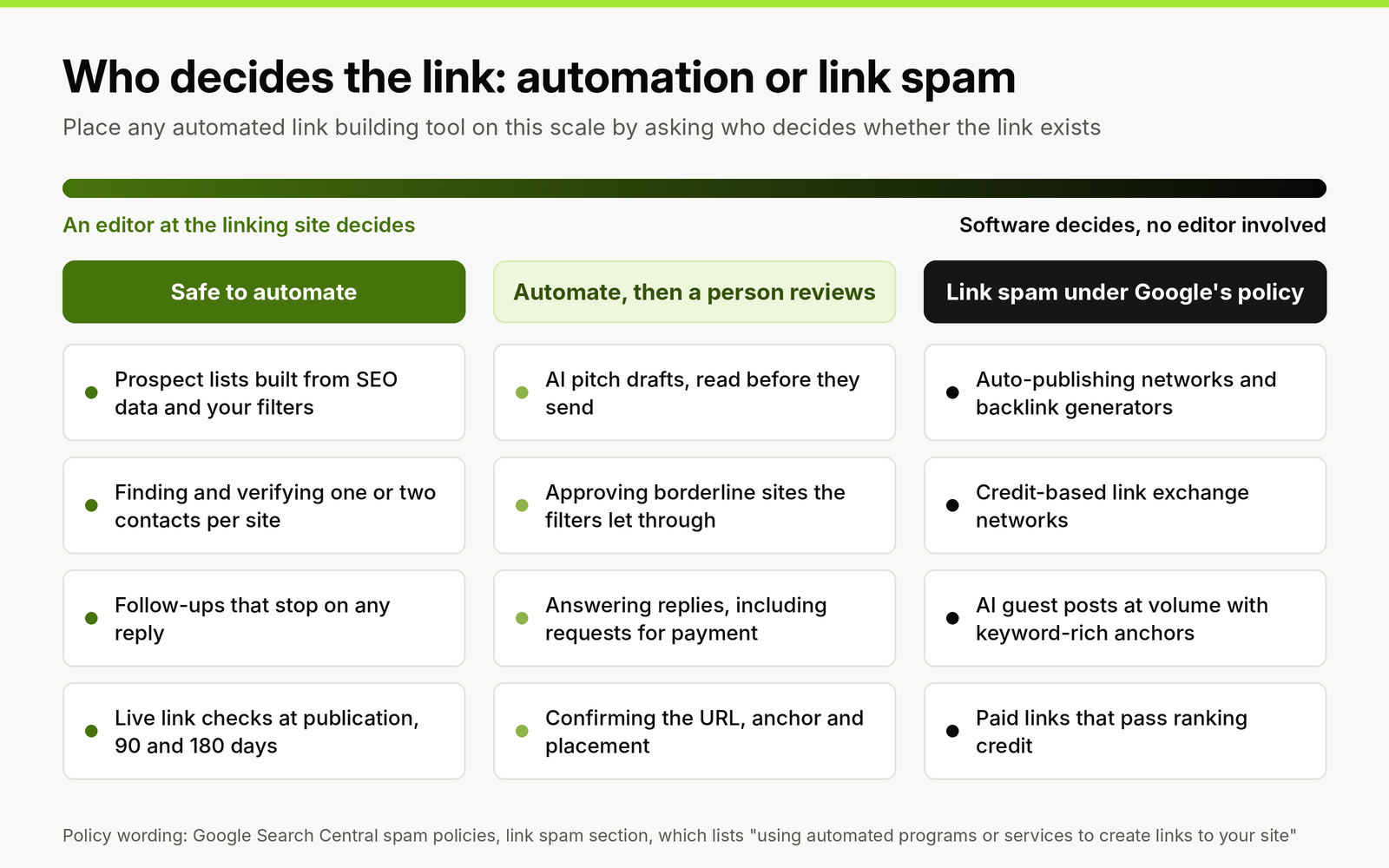
Sort any automated link building product by one question: who decides whether the link exists. The right-hand column follows the link spam section of Google's spam policies.
What link builders already automate
Most teams are already part of the way there. In Omniscient Digital's survey of 105 link builders, SEOs and digital PR specialists, the most common uses of AI were writing personalized outreach emails and analyzing websites and keywords. Treat the shares below as a rough picture: about half the respondents were based in Pakistan, two thirds were link builders, and most had one to three years of experience.
| Task | Share using AI or automation for it | What to automate | What a person still checks |
|---|---|---|---|
| Personalized outreach emails | 44.8% | The first draft for each site, built from the target page | Every claim about the site is true; one ask; no invented praise |
| Website and keyword analysis | 42.9% | Pulling DR, traffic and ranking data for every prospect | The filters themselves, set before the pull |
| Prospecting for new opportunities | 36.2% | Backlink gap and keyword-based prospect lists | A sample of the list before the campaign starts |
| Sourcing contact details | 34.3% | Finding and verifying the editor or author address | That the contact can edit the page you are pitching |
| Site quality evaluation | 33.3% | Flagging traffic drops and outbound link patterns | Borderline sites, rejected or approved by hand |
| Tracking replies | 30.5% | Stopping the sequence on any reply and sorting replies | Every positive reply and every request for payment |
| Monitoring link placements | 26.7% | Checking the link is live, crawlable and on the agreed URL | Links that disappear or change attributes |
Respondents' most common complaints were inaccurate or off-base output (39.05%), rising costs (36.19%), weak results in niche industries (35.24%) and spam filters catching AI emails (31.43%). Inaccurate output and emails that read as machine-written are failures a person catches by reading drafts before they send. Rising costs and weak niche results are reasons to test a tool on one small campaign before you pay for more of it.
Stage by stage: what to automate and where to keep a person
Every stage below has a part that is pure data handling and a part that needs judgment. Automate the first and put a review gate on the second.
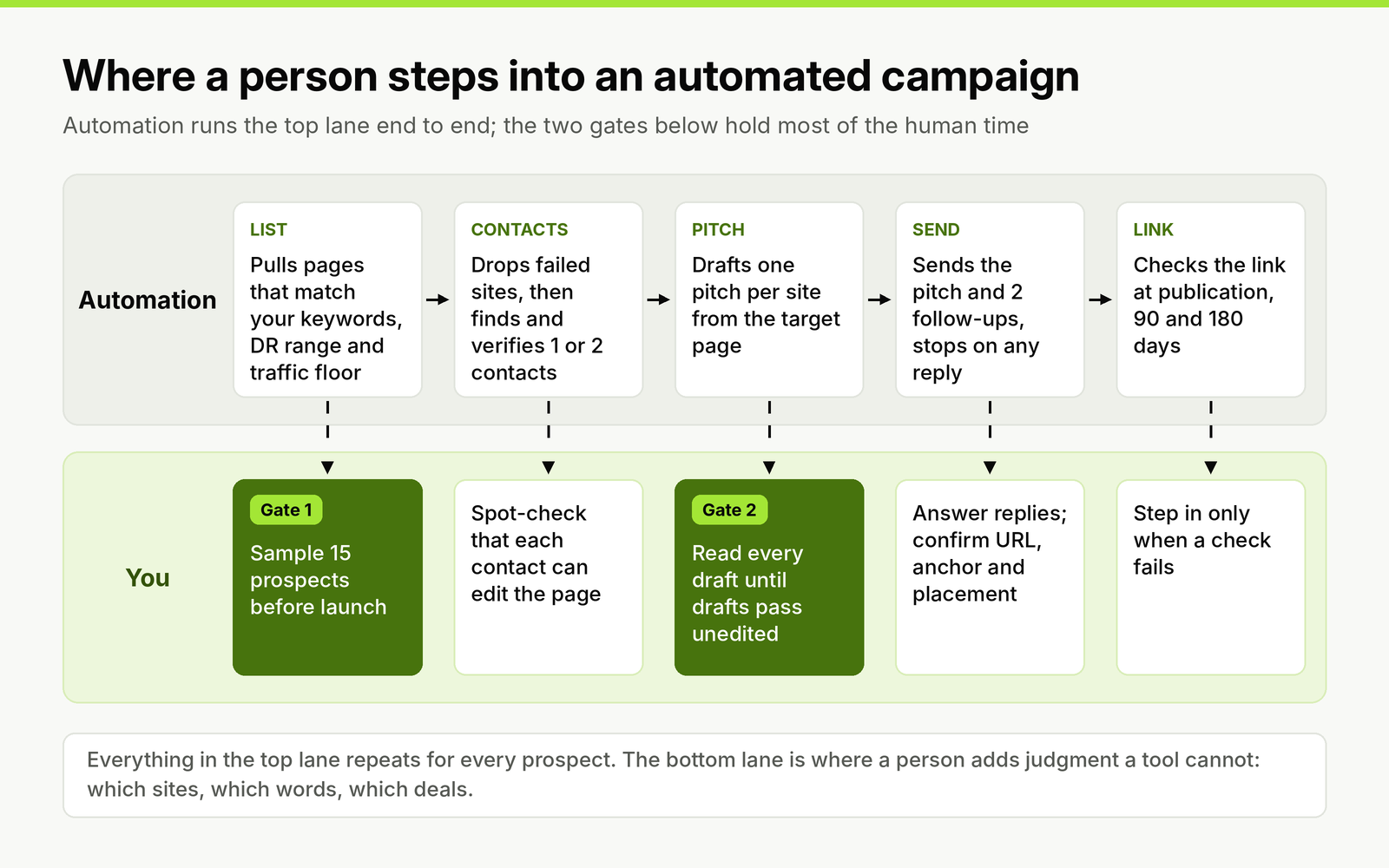
The automated lane runs for every prospect; the two gates in the lower lane are where a person spends most of the review time.
1. Prospecting
Prospecting is mostly filtering data, which makes it the easiest stage to automate. Feed the tool keywords, a Domain Rating range, an organic traffic floor and the countries you want, and let it pull every page that matches. Pages that link to two or more of your competitors but not to you are a strong place to start, because the editor has already shown they link out on your topic. Decide the filters before you pull anything: a list built without them drifts toward whatever is easiest to email.
2. Qualifying
Automation can reject the obvious failures: sites whose traffic fell off a cliff in the last 12 months, sites with a priced "write for us" page, sites whose outbound links are mostly off-topic, pages that are not indexed or do not return a 200 status. What it should not do is approve borderline sites on its own. Spot-check 10 to 20 prospects from each new list by hand before the campaign starts; if more than a couple fail your own test, tighten the filters and pull again.
3. Finding and verifying the contact
Let the tool find the person and verify the address. Set a contact order (for example the SEO lead, then the content lead, then the marketing lead) and cap it at two contacts per site so you never have three people at one company in the same sequence. Verification is not optional in an automated setup: an unverified list is how a new outreach domain picks up bounces in its first week.
4. Writing the pitch
This is the stage where automation and judgment overlap most. An AI draft built from the target page saves the blank-page time, and it is also where inaccurate output does the most damage, because an invented detail about an editor's own article ends the conversation. Read every draft before it sends for the first two or three campaigns. Once a campaign's drafts pass without changes, move to sampling, but keep the review step switched on rather than removed. Our link building pitch templates with placeholders to fill show what a draft should contain before it is allowed to send.
5. Sending and follow-ups
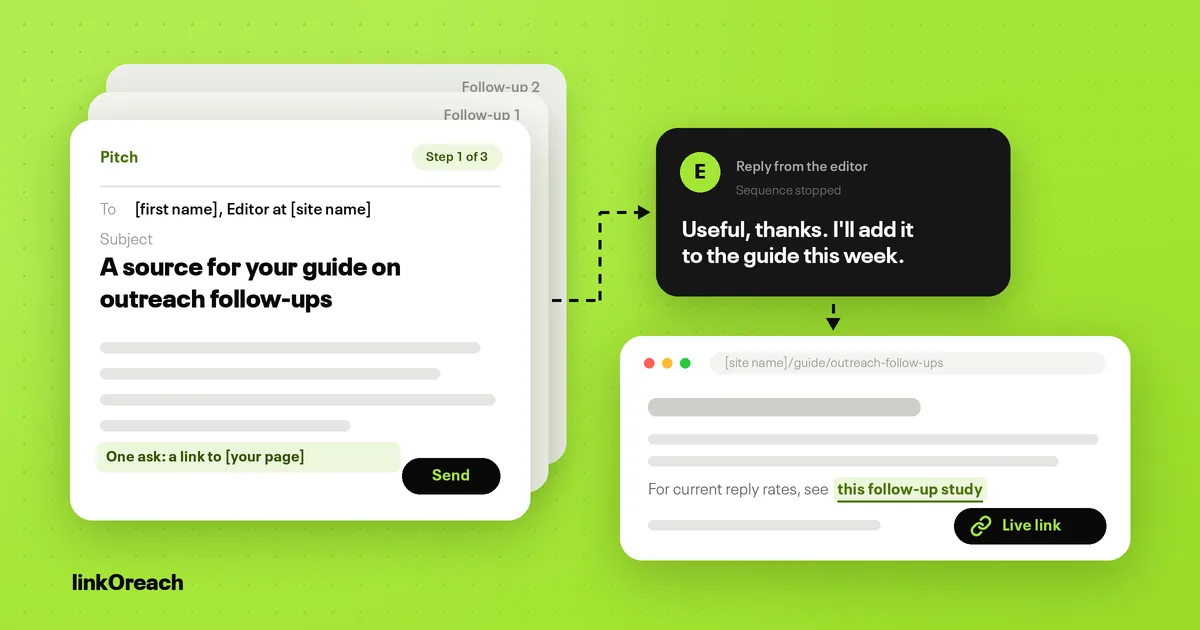
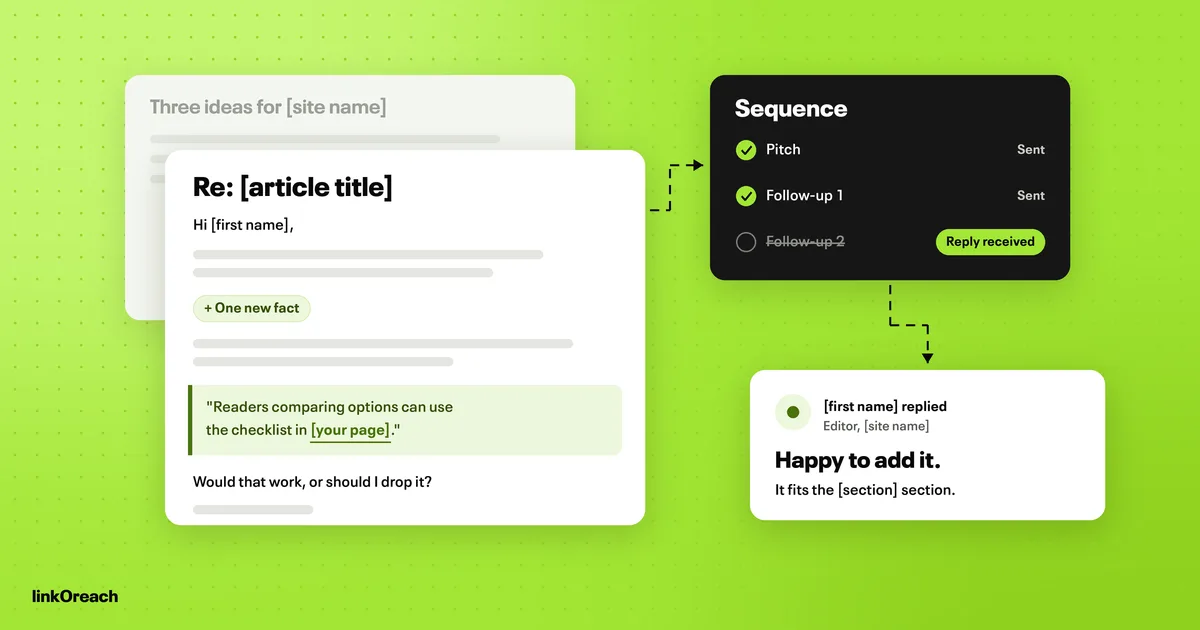
Hand this stage to automation completely. Software never forgets a follow-up, never sends one late, and can stop the sequence the moment anyone replies. Set a pitch plus two follow-ups, three to four business days and then about a week apart, and make sure the second follow-up adds something new rather than bumping the thread. Our full link building outreach workflow has the timing and copyable follow-up templates.
6. Handling replies
Automation should sort replies and stop sequences; a person should answer them. Any reply, including an out-of-office, ends the automated part for that contact. Positive replies need someone to confirm the URL, anchor and placement in writing, and any reply asking for payment needs a decision against your own policy, because a paid link is only within Google's rules when it carries rel="sponsored" or rel="nofollow".
7. Verifying and monitoring the link
A yes is not a link. Automate the check that the link is live, points to the agreed URL, is crawlable and carries the agreed attributes, then recheck on a schedule, for example at 90 and 180 days. A person only needs to step in when a check fails.
The reply data behind a human review step
Hunter's State of Email Outreach 2026, built on 31 million emails its users sent in 2025, measured several choices that every automated campaign has to make. Emails edited by hand before sending got a 5.2% reply rate against 4.4% for fully automated ones, and 69% of the US decision makers it surveyed said it bothers them when AI wrote the email. That is the case for keeping a review gate on the pitch, whatever drafts it.
The other settings point the same way. Turning open tracking off lifted replies from 4.4% to 7.4%. Sequences of 21 to 50 recipients replied at 6.2% against 2.4% for sequences of 500 or more. A three-message sequence reached 6.8% against 3.3% for a single email, while sequences with three or more follow-ups had lower average reply rates. And outreach that offers an editor something useful does better than sales email: digital PR sequences, which the report groups with SEO link building, averaged 13% against 3% for sales.
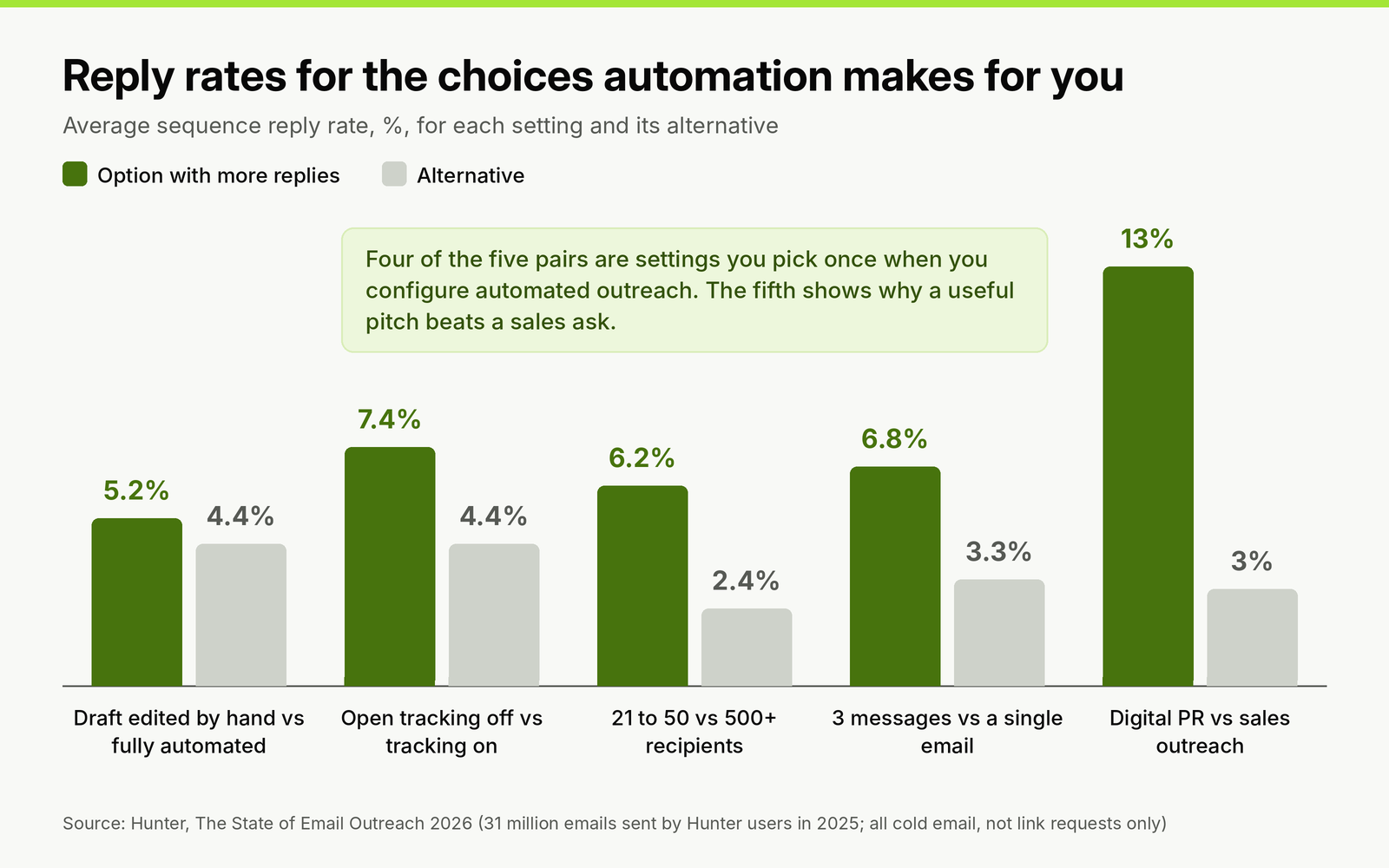
Average sequence reply rates for five choices an automated campaign makes. Figures from Hunter's 2026 report, which covers all cold email.
These figures cover all cold email, not link requests alone, so use them to choose settings rather than to forecast how many links a campaign will earn.
Sending limits that keep automated outreach out of spam
Automation makes it easy to send more than a domain's reputation can carry. Four limits matter for outreach senders, and our guide on keeping automated outreach out of the spam folder covers the domain setup behind them.
- Spam complaint rate: Google's email sender guidelines ask senders to keep the user-reported spam rate below 0.1% and never let it reach 0.3%. On 1,000 delivered emails, 0.3% is just three complaints.
- Bulk sender status: a sender becomes a bulk sender at close to 5,000 messages a day to personal Gmail accounts, counted per primary domain, and the status is permanent once assigned. Bulk senders need SPF, DKIM, a DMARC policy of at least p=none and an aligned From domain. Set all of that up on your outreach domain anyway.
- Daily volume per mailbox: mailboxes sending 20 to 49 emails a day replied at 5.7% against a 4.5% average. To send more, add mailboxes on a separate outreach domain rather than pushing one harder.
- Suppression: anyone who says no or asks to be removed goes on a list that every campaign checks before sending, not only the campaign they replied to.
Our comparison of sending tools and link building platforms priced side by side covers which tools enforce these limits for you and which leave them to your settings.
Automation to refuse
Some products sell automation that takes the editor out of the decision. Turn them down regardless of price, because each one maps onto a practice Google's policy already names.
Auto-publishing networks and backlink generators place links on sites you never contact, which is the practice the policy describes word for word. Credit-based link exchange networks, where you host other members' links to earn links of your own, add excessive link exchanges on top of automated link creation. AI guest posts published across many sites at once tend to carry keyword-rich anchors, which the policy lists as link spam in guest posts, and content produced at that volume falls under scaled content abuse as well.
Done-for-you services that sell placements are a separate case. Paying someone else to run the outreach does not change what the policy says about paid links: a placement you pay for has to carry rel="sponsored" or rel="nofollow", however it was arranged.
Google finished rolling out its September 2026 spam update on October 8, two weeks after it began on September 24, applied globally and to all languages (Google Search Status Dashboard). Google did not say what it targeted, so treat it as a prompt to audit any placements that came from the categories above, not as proof about a single tactic.
Worked example: one automated campaign with two review gates
Here is how a 45-prospect campaign runs when automation does the work and a person holds two gates.
- Brief: one target page, keywords, a DR range of 30 to 70, an organic traffic floor of 1,000 visits a month, US and UK only, and an exclusion list of current clients and sites that sell links. (Your thresholds will differ; write them down before the pull.)
- Automated pull: say the tool returns 120 matching pages (a hypothetical figure for this example). Automated filters drop sites with traffic drops and priced guest post pages.
- Gate one, the list: you review 15 of the remaining prospects by hand. If two or fewer fail, approve the list at 45 sites; if more fail, tighten the filters and pull again.
- Automated contacts: one verified editor or author per site, two at most.
- Gate two, the drafts: you read all 45 first emails in the first campaign. Typical edits: remove a claim the tool could not verify, cut a second ask, fix the section reference.
- Automated sending: a pitch and two follow-ups, up to 135 emails if nobody replies early. Across two mailboxes at about 25 sends each a day, the sequence finishes in under two weeks once follow-up gaps are counted.
- Replies: at the 6.2% small-sequence average, about three replies; at the 13% digital PR average, about six. You answer each one and confirm details in writing.
- Automated monitoring: every agreed link is checked on publication and again at 90 and 180 days.
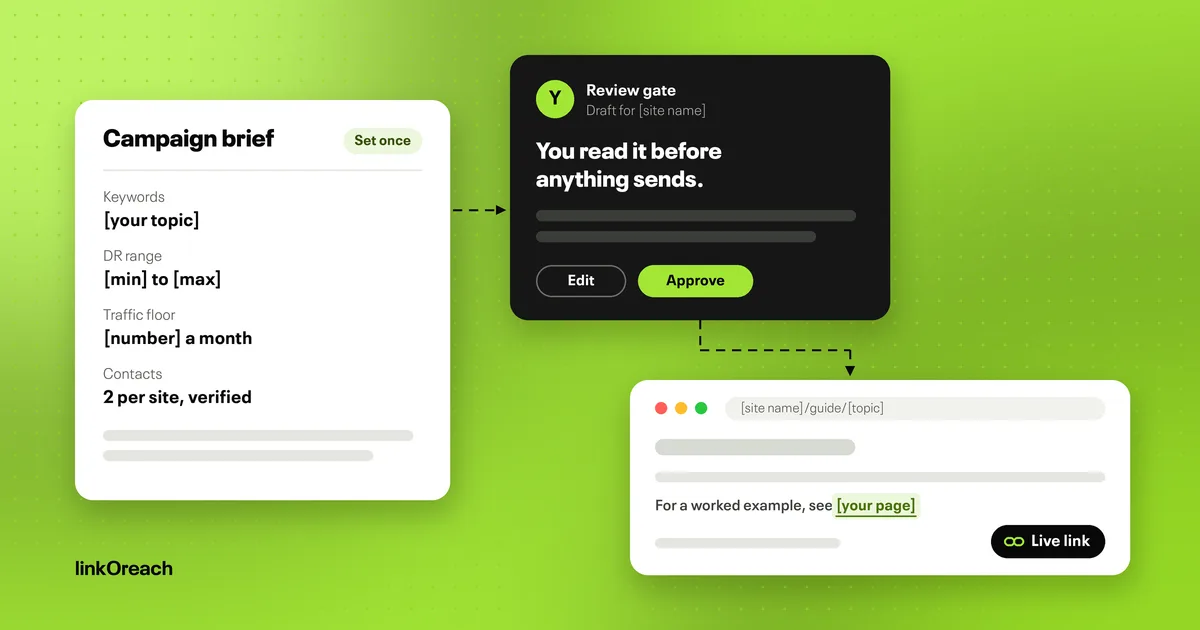
Copy this automation brief
Fill in each line before you switch any automation on. A tool cannot qualify sites against rules you have not written down.
- Target page: [URL] and the one reason an editor would link to it: [reason].
- Campaign type: [guest post, niche edit, listicle, resource page, unlinked mention].
- Prospect filters: keywords [list]; DR [min] to [max]; organic traffic of at least [number] a month; countries [list].
- Exclusions: [clients, competitors, sites with priced link pages, sites already contacted in the last 3 months].
- Contact order: [role 1], then [role 2]; no more than two contacts per site.
- Pitch rules: name the exact article; one ask; no praise you cannot back up; branded or URL anchors only.
- Sequence: pitch, follow-up after [3 to 4] business days, last follow-up about a week later with something new; stop on any reply.
- Sending limits: [20 to 49] emails a day per mailbox, open tracking off, outreach domain with SPF, DKIM and DMARC.
- Review gates: [number] prospects sampled before launch; every draft read for the first [number] campaigns.
- Paid link policy: [decline, or accept only with rel="sponsored"].
- Monitoring: check on publication, then at [90] and [180] days.
Where linkOreach fits
We built linkOreach to automate the outreach side of this split, and Linkzy is the AI agent inside it. As our page on what Linkzy automates at each stage sets out, you give Linkzy keywords, a DR range, a traffic floor and a location, and it builds the prospect list from Ahrefs data, goes for the SEO lead first, then content marketing, then the CMO, verifies each address before anything sends, writes a pitch for each site that you can edit before it goes out, runs follow-ups on a cadence with built-in sending limits, stops the sequence when someone replies, and tracks each thread through to a live, indexed backlink. You can also run every step manually and switch between the two modes. A shared inbox, A/B testing of two pitches, backlink gap analysis across up to five competitor domains and sending from your own Gmail, Outlook or SMTP mailbox come with it.
We currently offer one plan at $49 a month, an introductory price, with 500 email credits, 5,000 searches and 100,000 Ahrefs credits, and a 7-day trial with no credit card; our current plan and credits are on the pricing page. You stay responsible for your sending setup and domain reputation.
Pick something else if you want links placed for you without outreach, if you run sales cold email, or if you already have qualified lists and only need a sender; the trial checklist for blogger outreach software helps compare the options. Once links are agreed for several clients, order tracking, client reporting and invoicing are a separate stage that BuildLinks is built for.
Conclusion
Automate the outreach, never the link. Let software build the prospect list from your filters, find and verify one or two contacts per site, send a pitch and two follow-ups that stop on any reply, and check every link at publication, 90 and 180 days. Keep a person on two gates: a 15-prospect sample before launch and a read of every draft until a campaign's drafts pass without edits. Send from a separate outreach domain at 20 to 49 emails a day per mailbox with open tracking off, keep complaints under 0.1%, and refuse any product that creates links without an editor deciding.
If you want to run that split on one campaign, start a free linkOreach trial and give Linkzy a brief for 21 to 50 prospects.
Frequently Asked Questions
Is automated link building safe?
Automating outreach is safe; automating link creation is not. Google's spam policies list "using automated programs or services to create links to your site" as link spam. Software that builds prospect lists, finds contacts, sends follow-ups and checks live links is fine, because an editor at the linking site still decides whether to add the link.
What parts of link building can you automate?
Prospecting from SEO data, filtering out weak sites, finding and verifying contacts, drafting pitches, sending a pitch and two follow-ups that stop on any reply, and checking links at publication, 90 and 180 days. Keep a person on the prospect list sample, every pitch draft, every reply and any request for payment.
Can AI build backlinks automatically?
AI can draft personalized pitches and run outreach, but it should not place links for you. Tools that publish links or AI guest posts across many sites fall under Google's link spam and scaled content abuse policies. In Hunter's 2026 outreach data, emails edited by hand before sending got 5.2% replies against 4.4% for fully automated ones.
Does automated outreach hurt email deliverability?
It can if volume outruns your sending reputation. Keep your user-reported spam rate below 0.1% in Gmail, send 20 to 49 emails a day per mailbox, set up SPF, DKIM and DMARC on a separate outreach domain, verify every address before it enters a sequence and turn open tracking off.
How much does automated link building software cost?
linkOreach is $49 a month on introductory pricing, with 500 email credits, 5,000 searches and 100,000 Ahrefs credits and a 7-day trial with no card. Other outreach tools range from cold email senders to agency link building platforms; our email outreach tools comparison lists each one's price from its own pricing page.