Email Bounce Rate for Link Building Outreach: What's Too High
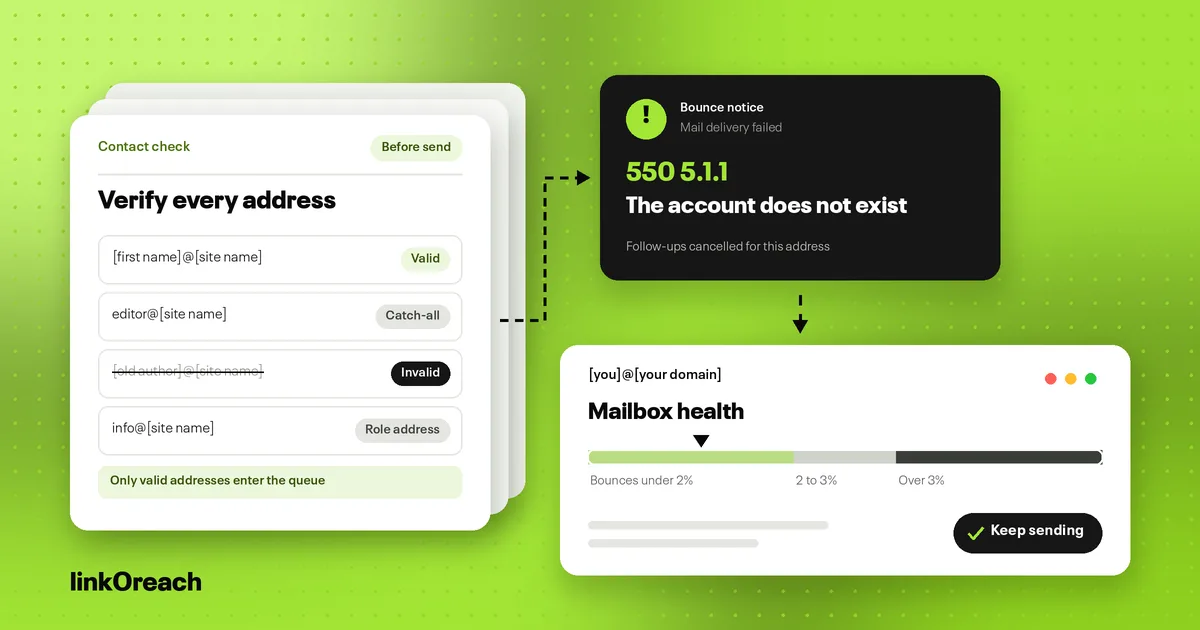
Email bounce rate is the share of sent emails that a receiving server refused to deliver: bounced emails divided by emails sent, times 100. For link building outreach, keep each mailbox under 2%, look into anything between 2% and 3%, and pause new pitches from a mailbox that goes over 3% until you know why.
Most guides to email bounce rate are written for newsletter senders, whose lists are people who signed up. Outreach lists are addresses you found on contact pages, author bylines and prospecting tools, so they bounce more and the fixes are different. This guide covers how to calculate the rate, how to read the bounce codes you get back, what the benchmarks say, why link building lists bounce, and a runbook for the day a mailbox spikes. Bounces are one part of keeping an outreach domain trusted by Gmail and Outlook, alongside authentication, warm-up and spam complaints.
What email bounce rate measures
A bounce is a delivery failure the receiving server reports back to you, usually as a non-delivery message with an SMTP code. The formula is simple:
Bounce rate = bounced emails / emails sent x 100
Send 400 pitches, get 6 bounces, and the bounce rate is 1.5%. Three details decide whether that number means anything:
- Divide by sent, not delivered. Some tools divide by delivered emails, which flatters the rate. Sent is the honest denominator.
- Measure per mailbox and per sending domain. Mailbox providers judge the domain and IP that sent the mail, so an account-wide average can hide one mailbox that is in trouble.
- Count first-touch emails. A bounced address should never get a follow-up, so follow-ups rarely bounce and only dilute the rate. Measure list quality on first-touch sends.
Hard bounces, soft bounces and blocks
Every bounce carries a three-part enhanced status code defined in RFC 3463. The first digit tells you whether to try again: 4 means a persistent transient failure (a soft bounce), 5 means a permanent failure (a hard bounce). The middle digit tells you what failed: 1 is the address, 2 is the mailbox, 4 is routing and 7 is security or policy.
That middle digit matters more than most guides admit. A 5.1.1 means the address does not exist, which is a list problem. A 5.7.1 means the receiving server refused your message on policy grounds, which is a sender problem: authentication, reputation or content. Both count as hard bounces in most sending tools, but the fix for one is a cleaner list and the fix for the other is in your own setup. Call the second kind what it is, a block, and treat it as more urgent than any bad address.
Bounce codes you will see in outreach
The table uses Gmail's own wording from its list of SMTP errors and codes, plus the rejection Outlook uses for unauthenticated bulk mail.
| Code | What the server says | Type | What to do |
|---|---|---|---|
| 550 5.1.1 | The email account that you tried to reach does not exist | Hard, bad address | Remove it and find the right contact for that site |
| 550 5.2.1 | The email account that you tried to reach is inactive | Hard, dead mailbox | Remove it; the person has usually left |
| 552 5.2.2 | The recipient's inbox is out of storage space and inactive | Hard, abandoned mailbox | Remove it |
| 452 4.2.2 | The recipient's inbox is out of storage space | Soft | Let the tool retry; remove after repeated failures |
| 450 4.2.1 | The user you are trying to contact is receiving email too quickly | Soft | Retry later |
| 421 4.7.0 | This message is suspicious due to the very low reputation of the sending domain | Soft block | Cut volume and check list quality and setup |
| 421 4.7.28 | Gmail has detected an unusual rate of unsolicited email | Soft block | Cut volume at once |
| 550 5.7.1 | This message is likely unsolicited email | Hard block | Pause the mailbox and review copy and targeting |
| 550 5.7.26 | This email has been blocked because the sender is unauthenticated | Hard block | Fix SPF, DKIM and DMARC before sending again |
| 550 5.7.515 (Outlook) | Sending domain does not meet the required authentication level | Hard block | Fix authentication; Outlook applies this to domains sending over 5,000 emails a day |
Outlook sets out that rule in its requirements for high-volume senders, which also ask senders to remove invalid addresses regularly. A link builder sending 30 pitches a day from one mailbox is far below that volume, but a 5.7.x code from any provider still means your setup or reputation, not the address, caused the bounce.
What is a good email bounce rate?
Under 2% for cold outreach, measured over at least 200 first-touch sends from one mailbox. The published averages put most senders above that line.
| Email type and sample | Average bounce rate |
|---|---|
| Cold email, 31 million emails sent in 2025 | 3.6% |
| Opt-in email marketing, all regions, 4.4 billion emails sent in 2023 | 2.33% |
| Opt-in email marketing, North America | 2.68% |
| Opt-in email marketing, Europe | 2.11% |
| Newsletters only | 2.42% |
Sources: the cold email row is from Hunter's State of Email Outreach 2026; the opt-in rows are from GetResponse's email marketing benchmarks, which cover active senders with at least 500 contacts.
The same report traces most cold email bounces to unverified contact information, with low sender reputation and aggressive sending rates as the other causes. An average of 3.6% means plenty of cold senders run well above it.
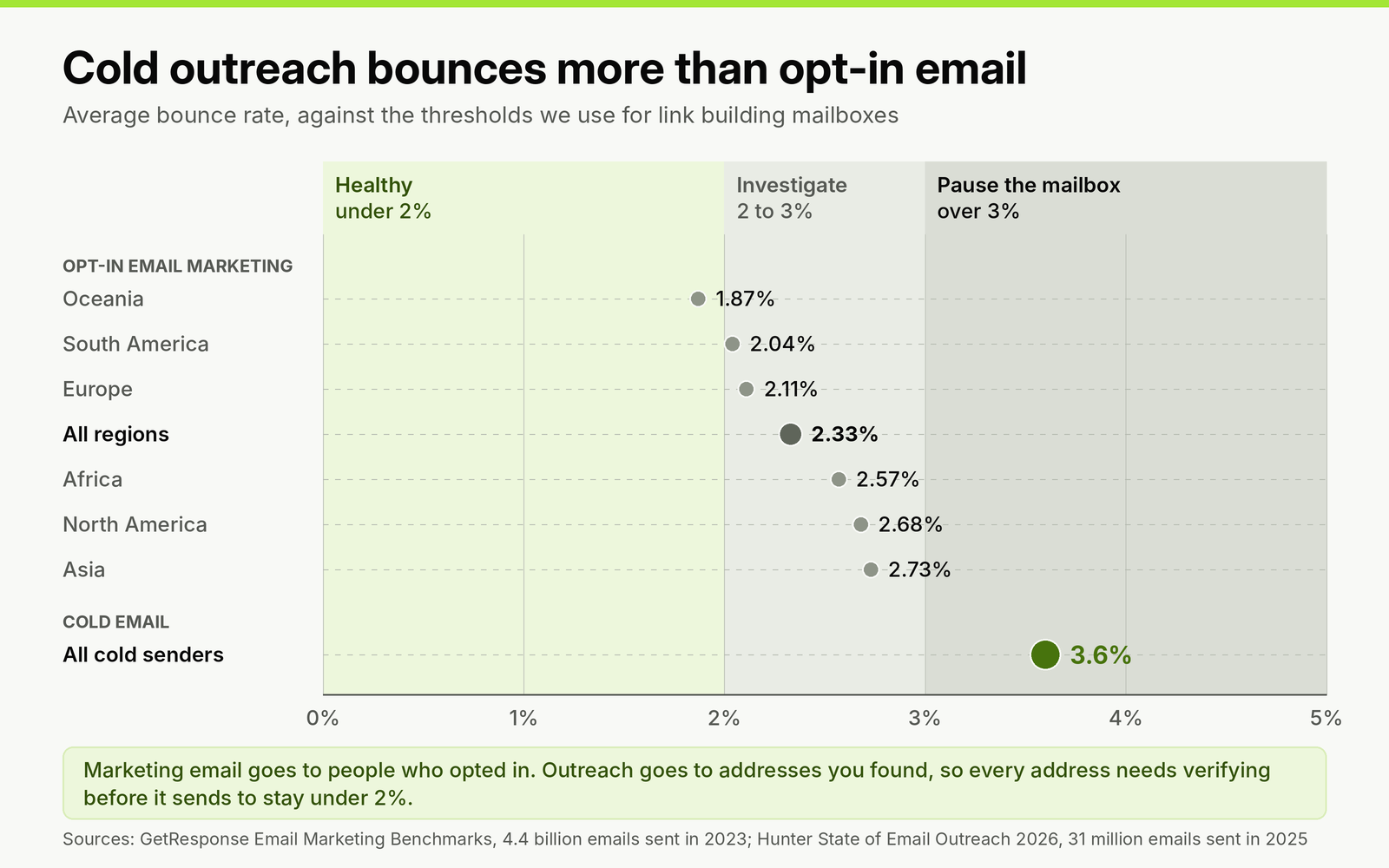
Even opt-in lists average above 2% in most regions. Cold email sits in the zone where we stop a mailbox and look for the cause.
The thresholds on the chart are our working limits, not a rule any mailbox provider publishes. Gmail and Yahoo publish a spam complaint limit (below 0.3%), but none of the big mailbox providers publishes a bounce limit; they ask you to remove invalid recipients and adjust volume when bounces rise. Gmail's email sender guidelines tell senders to automatically unsubscribe recipients who have multiple bounced messages, and to reduce sending volume when messages start bouncing or being deferred until the error rate falls. Yahoo's sender best practices also ask for invalid recipients to be removed promptly. Our three bands turn that guidance into decisions:
- Under 2%: keep sending. Remove each bounced address and note which list or source it came from.
- 2% to 3%: keep sending to verified addresses, stop adding new unverified ones, and look at which source produced the bounces.
- Over 3%: pause new first-touch pitches from that mailbox. Let replies and conversations continue.
Any 5.7.x block skips the bands. One block code from Gmail or Outlook is enough to pause and check your setup.
Why one day's bounce rate misleads
Link builders send small batches. A mailbox sending 25 pitches a day reaches 4% with a single bad address, which looks alarming and says almost nothing. The same mailbox at 1 bounce in 200 sends is at 0.5%.
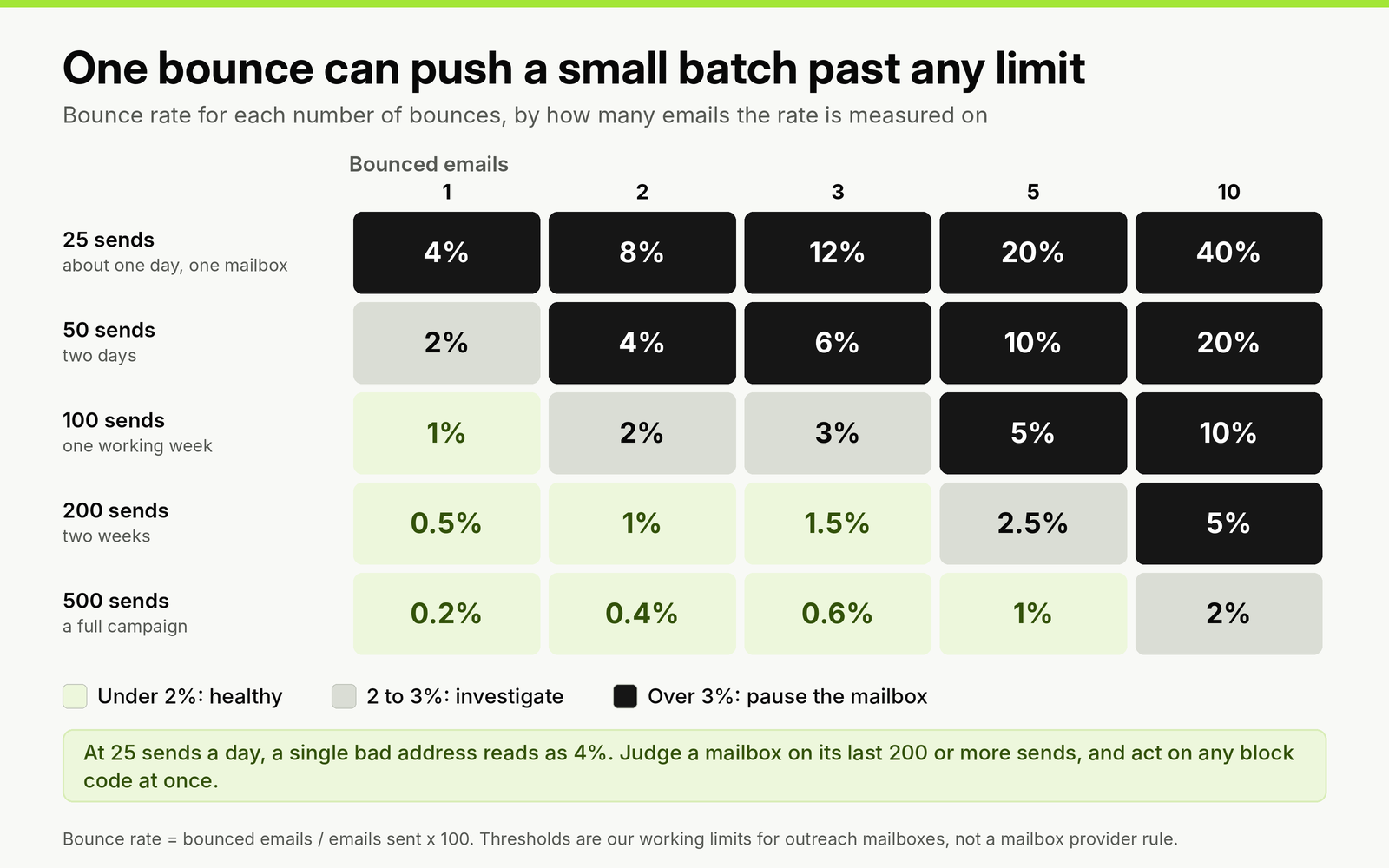
The same number of bounces lands in a different band depending on how many sends you measure it on.
So judge the rate on a rolling window of the last 200 or more first-touch sends per mailbox, and look at the codes every day. That split keeps you from pausing a healthy mailbox over one dead address while still catching a real block the day it happens. Do not raise volume just to get a readable number sooner: more sends make the rate stable, not your list cleaner, which is one more reason to keep even AI-drafted pitches at a human sending pace.
Why link building lists bounce
Outreach lists fail in ways newsletter lists do not. These are the sources we see most often:
- Author addresses from old bylines. A guest author who wrote for a site two years ago may have left the company, so addresses found next to old articles are a common source of 5.1.1 and 5.2.1 bounces.
- Guessed patterns. firstname@domain looks plausible and is often wrong, especially on small sites that use one shared inbox.
- Catch-all domains. Some mail servers accept mail for any address at verification time and reject or discard it later. A catch-all address cannot be confirmed without sending a real email, and the guidance from verification providers is to email them as a separate, low-volume segment.
- Dead or parked sites in the prospect list. Lists pulled by Domain Rating and traffic can still include sites whose domain no longer has working mail records.
- Stale lists. A list verified for a campaign last quarter has been decaying ever since. Verify again close to the send date.
- Abandoned mailboxes on small sites. Full inboxes on hobby blogs return 452 4.2.2 for a while and then 552 5.2.2 once the provider marks them inactive.
Role addresses such as info@ or editor@ rarely bounce, but they are the wrong target for most pitches because nobody who edits the page reads them. Finding the named person is part of the prospecting stage of a link building outreach campaign from list to live link, not something to fix after the bounce.
How to reduce email bounce rate in outreach
Most of the work happens before the first send.
- Verify every address within a week of sending to it. Drop anything marked invalid, and verify again any result older than that.
- Segment catch-all and unknown results. Send them from one mailbox in small batches, check the bounces after the first few days, and drop the segment if it bounces.
- Pick one named contact per site. Do not send to three guessed addresses at the same domain to see which one works.
- Remove bounced addresses automatically. A hard bounce removes the address from every campaign, not just the current one, and cancels its follow-ups.
- Retire repeat soft bounces. If an address soft-bounces on two or three separate attempts, treat it as dead.
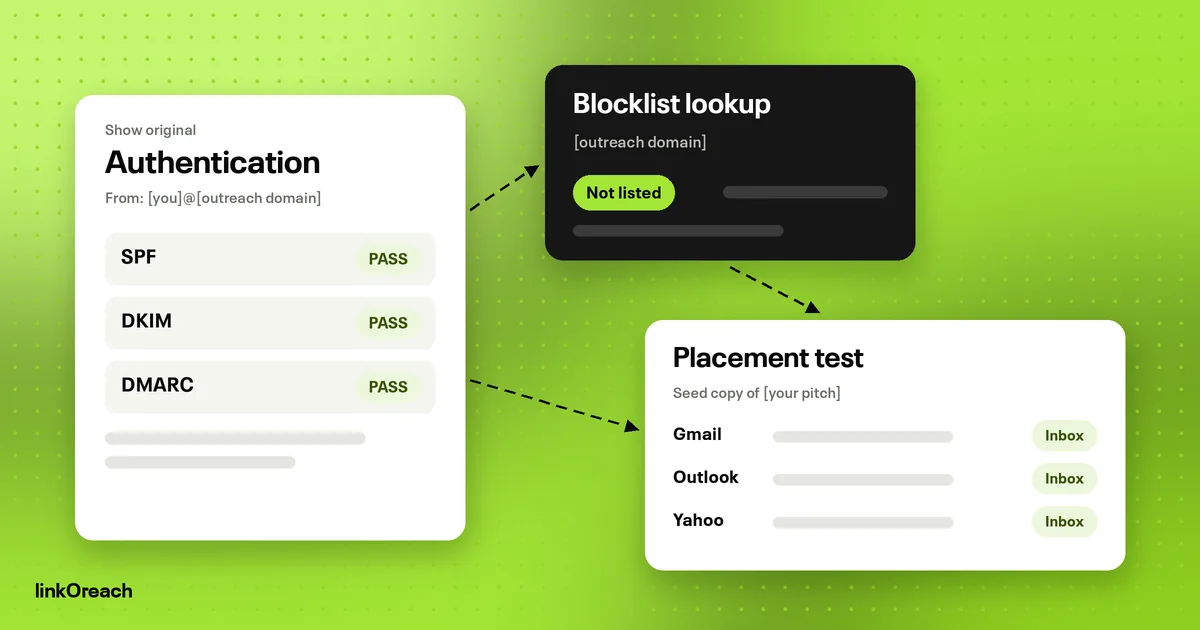
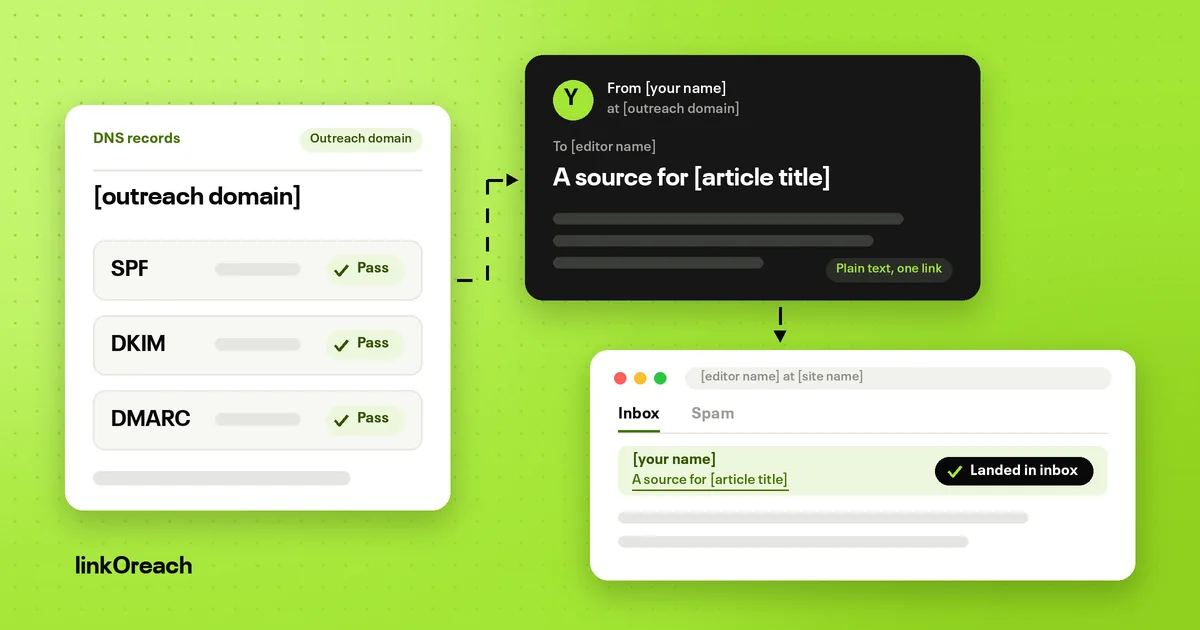
- Fix authentication before volume. SPF, DKIM and DMARC aligned with your From domain prevent the 5.7.26 and 5.7.515 blocks entirely.
- Ramp sending slowly on new mailboxes. A new domain has no sending history to offset early bounces, so start at a few pitches a day and add volume while the rate holds under 2%.
If you want to see whether bounces have already hurt a domain, free blocklist, placement and DMARC report checkers show what the bounce rate alone cannot. Google has also retired the domain and IP reputation dashboards in the original Postmaster Tools, so your own bounce codes are now one of the earliest warnings you get.
Worked example: two mailboxes, one guest post campaign
Say you are pitching 300 sites for guest posts from two mailboxes, A and B, each sending 25 first-touch pitches a day.
- Day 1, mailbox A: 2 bounces from 25 sends, both 550 5.1.1. That reads as 8%, but both addresses came from author bylines on posts older than two years. Remove every unverified byline address left in the list and keep sending.
- Day 3, mailbox B: 1 bounce from 25 sends, a 550 5.7.1 from Gmail saying the message is likely unsolicited. That is 4% on paper and a block in practice. Pause B, check its authentication and the pitch copy, and look at how many Gmail recipients were in that batch.
- End of week 2, mailbox A: 4 bounces from 250 sends, all 5.1.1. That is 1.6%, inside the healthy band.
- Mailbox B, a week later: resume at half volume once the setup checks out, and watch the codes daily for another 100 sends.
Count alone would have paused both mailboxes for the same reason. The codes showed that A needed a cleaner list and B needed a setup check.
When a mailbox's bounce rate spikes
Run the same steps every time, in this order:
- Pause new first-touch pitches from that mailbox. Leave replies and live conversations running.
- Export the last 200 sends with their bounce codes.
- Sort the codes. Mostly 5.1.x and 5.2.x means a list problem; any 5.7.x or 421 4.7.x means a sender problem.
- For a list problem, find the source that produced the bounces (a scrape, an old export, a guessed pattern), remove or re-verify every unsent address from it, and resume.
- For a sender problem, check SPF, DKIM and DMARC alignment, recent copy changes, and links in the pitch, then resume at half the previous daily volume.
- Remove every bounced address from all campaigns so no follow-up or future pitch reaches it.
Stopping follow-ups matters more than it sounds. A three-step sequence to a bounced address tries to deliver three times, and every attempt is another failure on your record. Follow-ups should run on a cadence that ends on any reply or bounce; we cover how many follow-ups a link pitch needs and when to stop in a separate guide.
Bounce prevention in linkOreach
We built linkOreach for link building outreach, and Linkzy is the AI agent inside it. Bounce prevention is a step inside that outreach workflow, not a separate tool. When Linkzy builds a prospect list from Ahrefs data, it looks for the SEO lead at each site first, then the content marketing lead, then the CMO, and checks each address for deliverability before anything goes out. Mail sends from your own Gmail, Outlook or SMTP mailbox inside built-in sending limits, follow-ups run on a cadence and stop when someone replies, and per-campaign reports show opens, replies and live links. Our contact verification and built-in sending limits are described on the features page, and every step can be run by hand.
We currently offer one plan at $69 a month, or $117 a quarter, which works out to $39 a month, with a 7-day trial and no credit card. It includes 500 email credits for finding and verifying contacts, with top-ups of 500 more for $19; what the monthly and quarterly plans include lists the rest. Pick something else if you send newsletters to opt-in subscribers, where your email service provider's bounce handling does the job, or if you only need to clean an existing list, which a standalone verification service handles on its own.
Conclusion
Measure bounce rate per mailbox, on first-touch sends, over at least 200 emails, and read the codes every day. Under 2% is healthy for outreach; between 2% and 3% means checking which source produced the bounces; above 3% means pausing new pitches from that mailbox. A 5.1.1 is a list problem you fix by verifying closer to the send date and finding named contacts. A 5.7.x is a sender problem you fix in authentication, volume or copy, and it overrides any percentage.
Verify every address, segment catch-alls, remove bounced addresses from every campaign, and never let a follow-up go to an address that has already bounced.
If you want contacts checked before every send and follow-ups that stop on reply, start a free 7-day linkOreach trial and run your next campaign through Linkzy.
Frequently Asked Questions
What is a good email bounce rate?
Under 2% for cold outreach, measured over at least 200 first-touch sends from one mailbox. For comparison, cold email averaged 3.6% across 31 million emails sent in 2025, and opt-in email marketing averaged 2.33% across 4.4 billion emails sent in 2023.
How do you calculate email bounce rate?
Divide the number of bounced emails by the number of emails sent and multiply by 100. Send 400 pitches and get 6 bounces, and the bounce rate is 1.5%. Use emails sent, not emails delivered, and calculate it per mailbox rather than across your whole account.
What is the difference between a hard bounce and a soft bounce?
A hard bounce is a permanent failure, shown by a status code starting with 5, such as 550 5.1.1 for an address that does not exist. A soft bounce is temporary, shown by a code starting with 4, such as 452 4.2.2 for a full inbox. Remove hard bounces at once and retire an address after repeated soft bounces.
What bounce rate is too high for cold email?
Above 3% for a single mailbox, judged over its last 200 or more sends, is the point where we pause new pitches from it and look for the cause. Any block code in the 5.7.x range, such as 550 5.7.1 or 550 5.7.26, is a reason to pause whatever the percentage.
Do bounced emails hurt sender reputation?
They can. Gmail, Yahoo and Outlook all ask senders to remove invalid recipients, and Gmail asks senders to reduce volume when messages start bouncing. Repeated sends to addresses that do not exist signal a poorly kept list, which is one of the things mailbox providers judge a sender on.
How do I reduce my email bounce rate?
Verify every address within a week of sending to it, send catch-all addresses as a separate small segment, pick one named contact per site instead of guessing patterns, remove bounced addresses from every campaign, and set up SPF, DKIM and DMARC before you raise volume.